
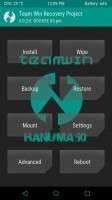
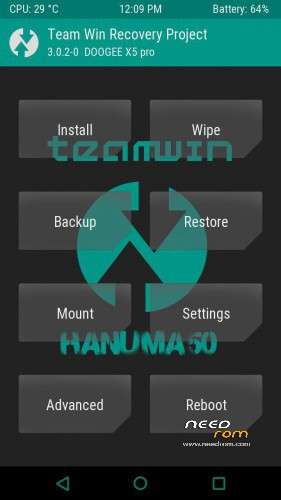
- Title: TWRP_3.0.2-0_Recovery for X5 pro
- Listed: April, 2016
- Last modified: 04/20/2016 8:46 pm
- Version: Android 5.1-R14-2016.01.15 FlickAir Mod
You must be logged for ROM download.
15794 total views, 2 today
1 Total favorites
CUSTOM
 Member Info
DESCRIPTION
you can flash with flash tool
or rashr link > https://play.google.com/store/apps/details?id=de.mkrtchyan.recoverytools
or mobileuncle tools link > https://mega.nz/#!PcwSxLDB!KycQF3Yaba4QMn4fg4-vYu0MnMdD76YjORUonoV1pc4
official firmware
.https://www.needrom.com/download/x5-pro-r14-recovery-install/
port from this twrp
https://www.needrom.com/download/twrp-recovery-3-0-0-0-x5s/
visit me in facebook Filter King Doogee
https://www.facebook.com/doogeeclub.Seed?fref=nf
MTK THAI ROM MODDER group in Thailand
https://www.facebook.com/groups/mtkthairommodder/
my page https://www.facebook.com/doogee.club/
※Please make a backup of your device before installing or updating ROM
Ok did you used flashify, rashr or sp flash tool? Are you running exactly this file on your phone?
Can someone please confirm that it flashes correctly and witch method was used?
review of Replace twrp 2.8.7.0 with twrp twrp 3.0_2.0 on doogee x5 pro
Of course, that’s how it should work but it doesn’t. I downloaded it again and flashed it again, this time with rashr not flashify.. But no recovery at all and luckily no bricking again..
Ok, I tried it 3 times and there is something wrong with the file. First your file had 13.29 MB then it changes after repaired the link to 13.35 MB. First bricked the phone second file installs nothing at all…
I tried sp flash tool v5 with even no success… When I try to boot in recovery it’s empty… No more clue
I’m pretty sure the problem is with pandi1673′s file uploading. Maybe hecan try uploading from other computer.
Yeah, it has to be the file… Because even sp flash tool v5 failed just like flashify and rashr and one of those methods should work with a correct file, actually all should have worked…