
- Title: Twrp Umidigi A5 Pro
- Listed: August, 2019
- Last modified: 08/05/2019 12:45 pm
- Version: 3.3.1
You must be logged for ROM download.
11593 total views, 1 today
 Member Info
DESCRIPTION
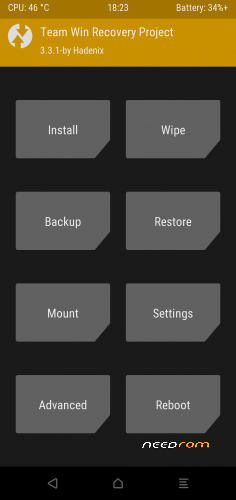
Team Win Recovery Project 3.x, or twrp3 for short, is a custom recovery built with ease of use and customization in mind. Its a fully touch driven user interface no more volume rocker or power buttons to mash. The GUI is also fully XML driven and completely theme-able. You can change just about every aspect of the look and feel.
Prerequisites
1. Unlocked bootloader.
Instructions
1. Go to the fastboot mode.
2. Download the recovery.img and transfer it to the adb folder.
3. Open the cmd/terminal and change directory into the adb folder.
4. Now confirm/check that device is connected by typing:-
fastboot devices
If you got your device seriel number there then you are ready to continue otherwise try connecting device again and make sure USB debugging is on and you have granted permission to the PC to debug.
After that we will flash this TWRP recovery to the recovery partition by below command:-
fastboot flash recovery TWRP_Hadenix-A5Pro.img
BooM ! TWRP flashed successfully.
6. Now unplug your device and then hold power button untill the phone turned off,after that press power button while holding vol down(-) button simultaneously and you will boot into TWRP recovery mode.
Enjoy !
Contributors
kiruha_21
Version Information
ROM OS Version: 9.0 Pie
Status: Stable
Based On: TWRP
Current Stable Version: 3.3x
SUPPORT:
Unofficial Telegram Channel
※Please make a backup of your device before installing or updating ROM
- Amendments to recovery.fstab. List of sections returned to stock
- Cleared the excess in the tree
- Added new flags for assembly
- init.recovery.mt6763.rc fixed
- ADB now works
- Updated source to 9.0.0 r47
- zImage from firmware 1.4
- Added to the recovery_dtbo.img assembly from firmware 1.4
- And much more
Hi guys,
when I try flash recovery in fastboot, I receive this error: FAILED (remote: not allowed in locked state)
Want can I do? I apreciate any help
Hello,for first you need to unlock bootloader.Try this method .Working for me.But phone wont restart in twrp.Im searching for another method of installing twrp.https://unofficialtwrp.com/uno.....umidigi-a5-pro/
Please password
It does not "see" the internal memory (cannot decrypt the / data section and asks for a password when starting TWRP). Solution – we put the Data decryption patch (if it is already, then it is not necessary).
And BOOM! not working. STill the old menu unfortunately
no work, same old recovery after flash
TWRP_3.3.1_20190812
- Minor changes in the section # enable stock zip packages flash
- Updated recovery.fstab
- Posted by Hadenix
- Excluded from TWRP APP assembly
- A new separate version with the prefix E, for the European version. The international version is going without the prefix E
- And minor corrections
- At the first start it will ask you to Enter a password, press the back button. – So that we have access to the internal memory, the recovery will not be overwritten – We put it through TWRP Attached file Disable_Dm-Verity_ForceEncrypt_02.04.2019.zip (4.16 MB) (the file must be put in advance on an external flash card) – Go to CLEAN – Format Data. Write yes and click the checkmark on the right. ALL DATA WILL BE DESTROYED and the phone will return to the factory state – We reboot into the system, the next time you enter the recovery, access to the internal memory will be.
20-08-19
- Corrections of architecture, correction at assembly
- recovery.fstab is updated
- Synchronization with source codes
Thank you for this twrp.
I have installed Havoc-OS with this twrp but with camera built-in I can't take wide photos, with camera angle 120º.
Is there any camera apk to install and have this option lile stock ROM?
Thank you
09-10-19
- recovery.fstab is updated
- Change of code device name
- Editing/cleaning of flags in a device tree
- Cleaning of a tree of old files
- MTP works
- A kernel from a firmware of V1.5 20191009
- Work for installation of OTA updates for stock firmwares is done
- Synchronization with source codes