
- Title: U7 Plus – Nougat TWRP
- Listed: January, 2017
- Last modified: 01/21/2017 4:13 am
- Version: U7 Plus - Nougat TWRP
You must be logged for ROM download.
14018 total views, 1 today
1 Total favorites
CUSTOM

 Member Info
DESCRIPTION
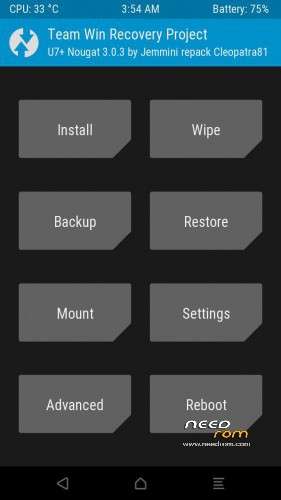
U7 Plus – Nougat TWRP 3.0.3
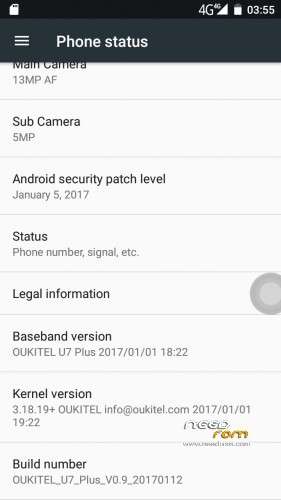
Based on the next stock firmware :
ro.build.display.id=OUKITEL_U7_Plus_V0.9_20170112
STOCK FIRMWARE and installation steps at the next link :
http://www.chinaphonearena.com/forum/Thread-ROM-Oukitel-U7-Plus-Nougat-TWRP-and-stock-rom
※Please make a backup of your device before installing or updating ROM
This time it worked perfectly for me, thanks for the contribution.
I can download the update through ota but when I try to do the update through then I get only an error message (packet error) how should I do?
You have to put an empty SD of 16 gb (it takes up a lot of the update if you do it through ota) and configure it with external storage.
I have one 32GB in the phone i will get the same error
How much space do you have free in SD?
And as the SD is configured, as internal storage or as external storage?
Twrp not work well.dalvik cache not work.
Delete root data.
Time for porting this to K6000 Pro.
Oh wait thus is only the twrp, anyone has the link to Nougat for U17?
@cotri :
TWRP works well.
I have made a full backup (into microSD) and restore it without problems !
Dear Cotri,
The new Android Nougat is still under analysis by all the developers.
This OS is too recent.
We have to familiarise with this new OS.
We still do not know the good qualities of this new OS.
We still do not know the defects of this new OS.
Please give us sufficient time to gain knowledge about this new OS.
For now I suggest you to do not wipe dalvik and cache.
Regards
when i click on scatter file error hapen "the load scatter file is invalid" why ?
@silgen :
I had no problem with the scatter file.
Please see the next screenshot :
http://i63.tinypic.com/24fe88j......jpg
Today and installed the latest version of SU by TWRP for .zip and do the wipes and do not work with applications with root
.Be carefull when making wipes for flasing
TO ALL :
I have tested "Backup". It works perfectly.
I have tested "Advanced Wipe". It works perfectly.
I have tested "Restore". It works perfectly.
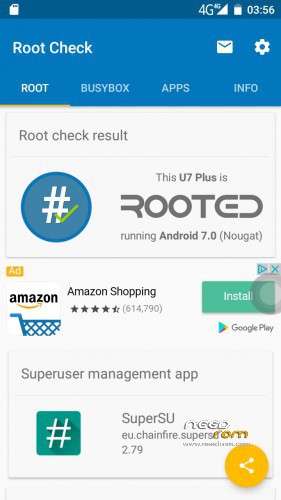
I have tested "Install" (with SuperSU.zip and BusyBox.zip). It works perfectly.
TO COTRI :
I noticed that your national flag of your Needrom profile changed sometimes.
There are 2 cases :
1) You use a proxy to hide your identity (highly likely).
2) You often travel from one country to another (most unlikely).
Why you need to hide your identity ?
You are acting like a stalker (here on Needrom and in another forum).
If you continue with this, I will be forced to report you to the moderators.
The envy is an ugly beast …