
- Title: Ulefone Be X TWRP 2.8.10 Recovery
- Listed: March, 2015
- Last modified: 03/21/2015 3:09 pm
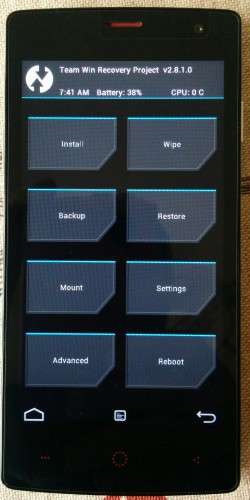
- Version: TWRP Recovery 2.8.10 for 4.4.2
You must be logged for ROM download.
17161 total views, 1 today
2 Total favorites
CUSTOM
 Member Info
DESCRIPTION
Install as usual via Mobileuncle tools, flashify (you need first root rights) or flashtool with original scatter of rom.
Full functional with touch, tested and OK
※Please make a backup of your device before installing or updating ROM
i put the img to my sd card, via mobileuncletool I opened the recovery update but i cant see the img file ……..
Rename it to recovery.img : it's the basic thing for every recovery with mobileuncle
ok, rename to recovery.img
nothink else , but again i cant see !!!!!
i have this file in to sd card/download, is it correct ?
No, put in the root of sdcard.
The TWRP 2.8.1,0 do not see the micro sd and the OTG usb. I can not mount the micro sd or OTG USB.
Thanks…
Thanks for making this, this makes rooting a lot easier with the SuperSU zip
The TWRP 2.8.1,0 do not see the micro sd and the OTG usb. I can not mount the micro sd or OTG USB.
this version cant read External SD Card… hmmm
byedaway thank you. hope it fix.
How i can install TWRP with flashtool? I coudnt find anything about this
my phone have problem after flash 4032 cant fix can do recovery?