
- Title: MicroNeX™ A110 – 4.2.2
- Listed: March, 2014
- Last modified: 03/29/2014 2:47 pm
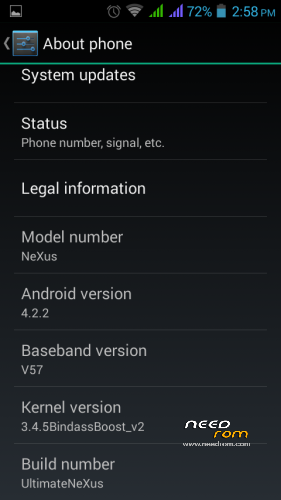
- Version: Ultimate NeXus4.2.2
You must be logged for ROM download.
17956 total views, 1 today
79 Total favorites
CUSTOM




 Member Info
DESCRIPTION
THE SEARCH FOR ULTIMATE ROM FOR MMX A110 CANVAS 2 ENDS HERE !!!
Features-:
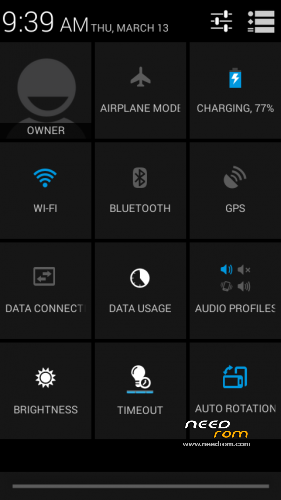
* Android 4.2.2
* Pure JB Experience
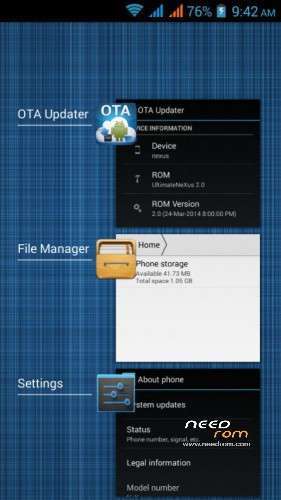
* Nexus Launcher
* Nexus Audio
* Nexus 5 BootAnimation
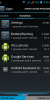
* All Google Apps Included
* Android Stock Applications
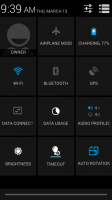
* Nexus Stock Look
* Bloatwares Removed
* Super User Installed / Rooted
* LED Notification Working [Green]
* GPS Working
* SD Card Tweaks
* Camera Working
* FM Working
* 240 DPI Fully Bugless [No Distortion]
* 4.4 Exclusive Fonts
* Init.D support
* Zipaligned On Every Reboot
* Super Fast & Smooth + Light
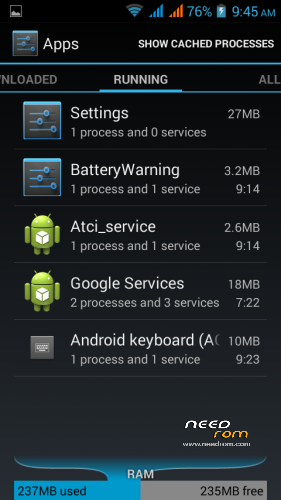
* Free RAM [Upto (250-220) MB]
* Ultimate Battery Backup
* No Proximity Delay At All
* Vividness Patch Pre-Included
* Battery Saving Tweaks
* Pure JB Experience
* Nexus Launcher
* Nexus Audio
* Nexus 5 BootAnimation
* All Google Apps Included
* Android Stock Applications
* Nexus Stock Look
* Bloatwares Removed
* Super User Installed / Rooted
* LED Notification Working [Green]
* GPS Working
* SD Card Tweaks
* Camera Working
* FM Working
* 240 DPI Fully Bugless [No Distortion]
* 4.4 Exclusive Fonts
* Init.D support
* Zipaligned On Every Reboot
* Super Fast & Smooth + Light
* Free RAM [Upto (250-220) MB]
* Ultimate Battery Backup
* No Proximity Delay At All
* Vividness Patch Pre-Included
* Battery Saving Tweaks
TO MAXIMIZE BATTERY DEACTIVATE 3G
SETTINGS> MORE> MOBILE NETWORKS> NETWORK MODE> OPERATOR> GSM ONLY
Plz do Battery calibration after flashing ROM to get max battry backup
Instructions-: [For 4.2]
1. Take A Backup First {Recommended}.
2. Reboot Into Recovery.
3. Wipe Data > Wipe Cache> Wipe Dalvik Cache > Fix Permissions.
4. Flash MicroNeXus ROM.
5. Do Step 3 Once Again To Ensure Proper Wiping.
6. Reboot & Enjoy Genuine NeXus Looks.
3. Wipe Data > Wipe Cache> Wipe Dalvik Cache > Fix Permissions.
4. Flash MicroNeXus ROM.
5. Do Step 3 Once Again To Ensure Proper Wiping.
6. Reboot & Enjoy Genuine NeXus Looks.
Kindly Ensure You Have Install UltimateNeXus Using Above Steps Only Otherwise Rom Will Not Work Properly.
Instructions Coming For 4.1-:
1) Reboot To Recovery & Make A Backup First.Compulsory.
2) Flash Any 4.2 Kernel.
3) Wipe Data Factory Reset.
4) Wipe Cache Partition.
5) Wipe Dalvik Cache.
6) Flash The ROM.zip
7) Reboot.
3) Wipe Data Factory Reset.
4) Wipe Cache Partition.
5) Wipe Dalvik Cache.
6) Flash The ROM.zip
7) Reboot.
※Please make a backup of your device before installing or updating ROM
It seems does not have the file boot.img ?
Latest Kernel is also available for download Xtreme-Rejoice-4.2.x-3.4.82
Thanks, but how can I setup this kernel ? Drag into the file .zip or setup via Recovery ?
just as the same way u flash u r rom via recovery, before flashing the ROM.
Flashing procedures mentioned in Description:
is back camera working?
camera app shows can't connect to camera pls help.third party app installation invain.
Can’t install any app after flashing this rom