
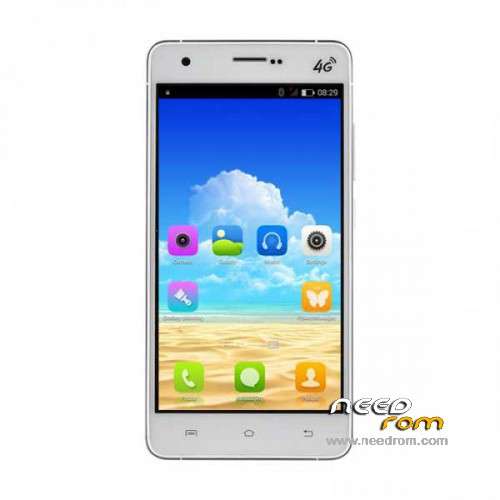
- Title: UMI Hammer Android 5.1
- Listed: June, 2015
- Last modified: 06/06/2015 6:10 pm
- Version: Android 5.1
You must be logged for ROM download.
40856 total views, 2 today
23 Total favorites
 Member Info

DESCRIPTION
UMI Hammer – ROM Android 5.1
- Stock Official UMI Hammer ROM Android 5.1
- Play Store
- No ROOT
Install ROM: (everything will be deleted so make backup first!)
- Unpack FlashTools SP_Flash_Tool_Windows_v5.1516.00.zip, and Click on Flash_tool.exe
- Select the MT6752_Android_scatter.txt in ROM directory
- Wait file to be added into Flash Tool
- Change "Download Only" to "Firmware Upgrade" in SP Flash Tool
- Turn off your phone. (do not have it connected to the PC yet)
- Press the green "Download" button in SP Flash Tool
- Now connect your phone into the computer via USB data cable, while you hold VOL UP button down
- The process will start (let the button go) and a red progress bar will appear after color purple, yellow.
- And green circles display – finish !
- You can now safely disconnect your phone and turn it on.
Now we go to the Recovery.
- Hold down VOL up and Power button
- After the logo appears, let go of the buttons!
- You should now be in the Recovery (you see a green Droid laying down)
- Press the Power button once, and the Recovery menu should appear.
- Use VOL down button to go down the menu, to wipe cache and press Powerbutton to confirm.
- After that also Wipe Data Factory/Reset. (You will now delete everything on the phone!)
- Go back and reboot the phone, done!
※Please make a backup of your device before installing or updating ROM
The speaker quality is much worse in this ROM than KitKat 0601. Could it be possible repair it?
Thanks for Lollipop bytheway
Always impossible turn to lollipop (I'm 4.4.4 is what the problem?)
Hello
tried iRoot/vroot but impossible…
any suggetion how to root the phone?
the stock rom has basic options, Xposed and TRWP are really needed!
thanks for help
Use this method by bigrammy1 here http://umidigi.com/forums/topi.....5-1-for-hammer/. Works like a charm. Flash one of his TWRP LP recoveries with the SP Flashtool, then flash the Super SU
Is there a way to flash phone using other app, like Flashify?
Not for this rom. HAs to be done with SP tool for now. Lollipop requires the phone to be re-partitioned. Can only be done on PC with flashtool
hello,
anyone have xposed framework for this rom?
thanks in advanced
btw, many thanks velottante for shared information about root. It was really helpfull.
Successfully installed , real pretty , but all the UMI feats are gone : Hotknot, smart gestures , air gestures , etc , will they update those later ? , it is worth to lose those feats to have Android 5.1 ?
How can I install TWRP Recovery on Lolopop with SP flash or Rootjoy ?
Need your help
Please try & read previous (7) comments above before asking the same question. bigrammy1 has a very straightforward description on the link above over on the Umi forum & done all of the work for us. Once again, SP Flash only at this stage & it's always nice to thank the bloke as well
@interceptorshile – my pleasure though I'm not really the one to be thanking, it's @s7yler & @bigrammy1 putting all this out there for us.
It is possible to flash again the 4.4 rom with sp flash tools once I´m in 5.1 ?
Thanks
Yes it is possible. I installed Xposed for 5.1 and got into boot loops.
Luckily I restored the 4.4 with TWRP
Where did you find xposed framevork for this rom (lollipop 5.1)?
So , I just need to flash the 4.4 Rom and the update with TWRP ?
1.- Wipe cache partition
2.- Wipe dalvik cache
3.-Wipe data/factory reset
4.-Install from Zip File 4.4 Rom
Is that Correct ? , to install the update , can you do it with the twrp or with the falsh tools ?
Thanks
Nice rom many thanks all its working fin only the sound quality is poor.
Any possibility to change it . And the camera its on 8 mb.
And how i can Root it
Thanks
About root read the post above from 09/16/2013 from velottante ,
helps a lot
about volume and sound quality look at this link
https://youtu.be/2Nv6-QnK48A&#.....038;nbsp;