
- Title: UMI X2 MIUI Vinus PORT ROM
- Listed: August, 2013
- Last modified: 09/21/2013 3:51 pm
- Version: ROM Android 4.2.1 (MIUI 3.9.27)(V5)
You must be logged for ROM download.
29634 total views, 5 today
 Member Info
DESCRIPTION
Its a port from Miui Vinus Rom
Language: English, chinese.
-Problems with Installer fixed. (Apks work and google play installer work fine)
-Screen works fine in 1080P
-Good Wifi signal and GPS
-Antutu score: 14502 (Tested in Umi X2 turbo 2GB) Same puntuation
Update to 3.9.2:
-New Camera (Great new camera app)
-Waiting for official changelog (no updated in Miui web)
3.9.6 Updated:
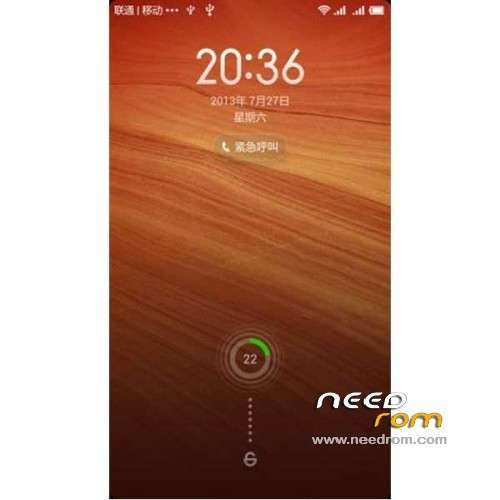
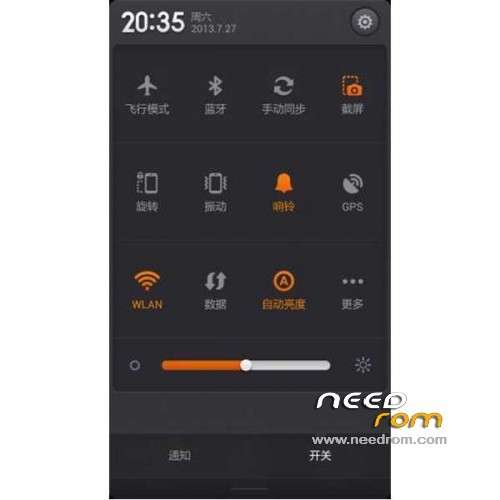
[Lock screen, status bar, notification bar]
- Optimization of a call, the screen dims,press the power button to light up the screen
[Desktop]
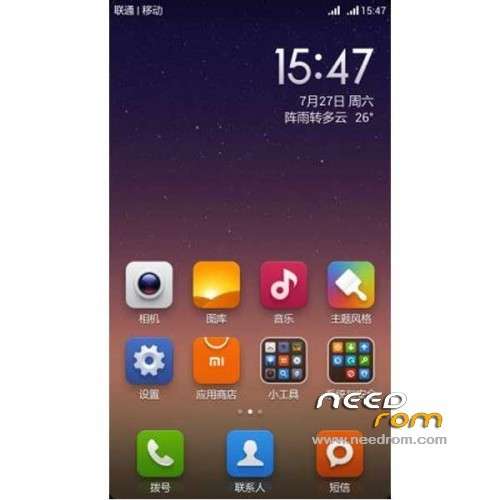
- Updated the default desktop layout optimization
[Gallery]
- Fix the camera atlas
[Music]
- Optimization in the music, "select track" interface does not display the recording file
- Fix some cases, random play flash back problems
And more!!
Last Update: 3.9.27
News:
– New Browser
– Better optimization in gallery
– Fixed screen call (in theory)
Thx to mdiary126
Problems in this rom:
– Camera in 8mpx
– Bad animation in entry calls. 0_o
※Please make a backup of your device before installing or updating ROM
i like this rom. even if i use english lang.
- but how to make camera 13mpx ?!
- is there any way to make the shutter sound ''silent'' i dont want that shooter sound , sometimes i need to take photos in quite places or without telling that i am doing photos. the sound of the shooter is really loud.
- it does not have google playstore. :(
and is it possible to have a clean version without chinese language and programs. ?! and adding multilanguage. it will be higly appreciated.
- and the browser searchs in chinese
thank you !!
it is my impression or nova prime /apex are faster in opening folders and flipping pages ? but i like the options this rom have.
1. Waiting for the 13 mp camere. Hope it comes out soon
2. To make it silent delete: camera_click.ogg, camera_focus.ogg, camera_shutter.ogg from system/media/audio/ui (Use Root Explorer)
3. Playstore: http://goo.im/devs/Sparcot/GAp.....ps Installer/GApps Install.apk
4. Multilang in MIUI is an old issue. What language do you need???
5. Browser-Settings-Advanced-Set search engine for title bar – Choose google.
how come i cant open the google play store after installing ?was anybody able to install the google services , google play , search ecc.. ?
Use this: http://goo.im/devs/Sparcot/GAp.....ps Installer/GApps Install.apk
Oh SPARCOT !! thanx dear, you saved my day !! I was strugling for hours trying and watching videos for fixing it without success. Your link works great !
- i will do the suggestions you gave me , for the camera i really appreciate !!
- well its not the multilanguage the problem for me, i woul prefer it without chinese apps and configs. I mean , i would like it clean and safe even in english its ok. but no chinese.
-> the browser settings are ok, but i still get the results written in chinese. : /
dear, may i ask you some simple informations in private abot Rom and phone memory ? Can you please make a reply to my email kronos_x@hotmail(dot)com ?
thanx for the help i appreciated and you saved my day !!!!!!
Thanx again
p.s: anyway it was not rooted. i used 'shuame' program too.
Hi there. One problem solved – Camera in 13 mp:
http://goo.im/devs/Sparcot/UMI.....13MP_UMI-X2.zip
Flash it via CWM without any wipes.
It seems that everybody is waiting for an update, but it doesn't come out. So i'll upload it (hope i won't offend bruenorz). So here's it:
http://goo.im/devs/Sparcot/UMI.....84ffbaf_4.2.zip
This update already includes 13 Mp camera and one more fix – the restriction to download a bigger file through mobile data are up to 3 GB!!! That means you'll be able to download a file up to 3 GB via mobile data. How to turn it on: Set the traffic limit in Data Usage app, after that go to Downloads app, hit menu and enter Settings, set the file size limit.
Enjoy!
PS: One more small but important thing in this ROM: It seems that the devs tried to add some new features in settings and managed to broke up the Access Point Names settings. The same is for 3.9.19 version… So if you want to set your APN:
1. Backup (if needed)
2. Install 3.9.14
3. Set your APN
4. Update to 3.9.19
5. Update to 3.9.27
6. Restore (if needed)
You still won't be able to access the APN settings but at least it will be already set (of course if it doesn't set automatically).
Good luck, guys.
Thx for upload the camera apk!!
Ok its a zip for recovery sorry i cant see the .zip in this computer hehehe
Thank you dear SPARCOT !! Great work !! I really like this ROM, and the 13mpx is really working great.
You saved me with the data restriction, so finally i can download bigger apps with data usage. :)
Hope this great Rom keeps on updating cos' its so great.
i want to try this cool rom but its not multilanguage is any way we can do it multilanguage?
i am cheking to add multilanguage support, not ork very well in port rom. Thx
Someone is having problems to install directly the last version of this rom (3.9.27) so i am going to check what happend and wait for this week update, thx to all.
Please keep on the great work. Is the most stable and reliable , the most beautiful room i have ever came across. Love it.
Just needs some small adjustments i think. Like the animation in the incoming call. Multilanguage. and adding an english superuser. And increasing the speed on transitions.
Thanks to you guys.
Thank for his great works.I installed this rom with clear installation and rom was uptadetso perfectly result.Everything is ok.
I have a question;how can ı change the system fonts?Anybody can help me about this?
Nice work. Smooth and very stable rom. Transitions in/out apps are a bit slow. I don't have a problem with APNs in 3.9.27 update, because they work by default. Camera is 13Mpx indeed and it captures photos very fast, but I have the impression that the stock camera performs better in low light.
Anyway great rom!