
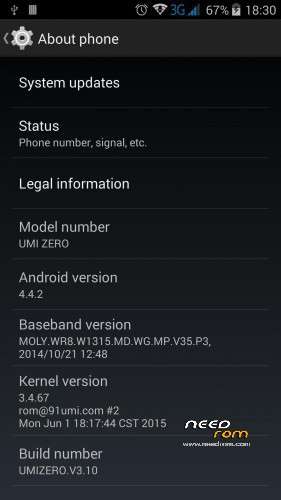
- Title: UMI ZERO V3.10
- Listed: September, 2015
- Last modified: 09/29/2015 1:13 am
- Version: V3.10 for SP Flashtool
You must be logged for ROM download.
22688 total views, 3 today
4 Total favorites
 Member Info
DESCRIPTION
This is official ROM from the manufacturer.
ROM version: Android 4.4.2
UMIZERO.V3.10
GApps – included
Multilang – about 50 languages
Install ROM :
- Unpack FlashTools, and Click on Flash_tool.exe
- Select the MT6592_Android_scatter.txt in ROM
- Wait file to be added into Flash Tool
- choose Option->Choose Option->DownLoad->check DA DL All with Checksum
- Turn off your phone
- choose Firmware Upgrade
- and connect your phone into the computer via USB data cable.
- The process will start and a red progress bar will appear after color purple, yellow.
- When green circles display, it is finish succesfully
- Finish !
- You can now safely disconnect your phone and turn it on.
※Please make a backup of your device before installing or updating ROM
Hi, I want to konw which is the different with this
i have controlled baseband , kernel etc etc but are the same !!!Thanks
need pin password for initialize. What is the passowrd?
Is this version upgradeable from the recovery?
There is no Flash_tool.exe in this ROM
Perfect job, thank you very much!
th
Thanks