
- Title: CyanogenMOD 12.1 TeamCanjica (Unofficial)
- Listed: May, 2015
- Last modified: 05/29/2015 2:24 pm
- Version: Lollipop 5.1.1 Build #22
You must be logged for ROM download.
21035 total views, 2 today
10 Total favorites
CUSTOM





 Member Info
DESCRIPTION
Confirmed working:
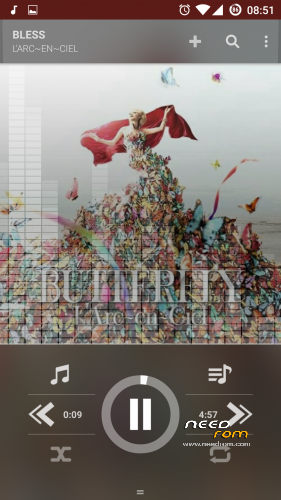
- Audio, Music playback works smoothly now (fixed on build #11)
- Infrared (IR Blaster)
- Camera (fixed on build #6)
- Bluetooth and A2DP audio streaming (HFP and phone mode enabled on build #12)
- Storage (moving apps to sd fixed on build #16)
- LPM charging (fixed on build #8)
- NFC (fixed on build #7)
- GPS (fixed on build #2)
- WIFI (fixed on build #2), (totally fixed in build #12, including p2p too)
- Leds, haptic feedback, sensors
- Exynos OMX encoding / decoding
- RIL: sms, ussd codes and calls works (fixed on build #4), data working too (fixed on build #5)
- Data encryption (fixed on build #13)
- VPN (PPTP, IPSEC, L2TP) (fixed on build #14)
- DRM plugins working (fixed on build #17)
Known issues
- Wrong colors while rendering on software decoders
Installation
- Download the ROM from the link above
- Download GApps for 5.1
- Download new lollipop modem here (thanks rgshah3)
- Put the zip files on your SDCard
- Reboot in Recovery (TWRP)
- Wipe Data / Factory Reset
- Select "Install zip from SDCard"
- Choose CM12 zip file
- Choose GApps zip file
- Choose I9500_XXUHOA7_MODEM zip file
- Reboot system
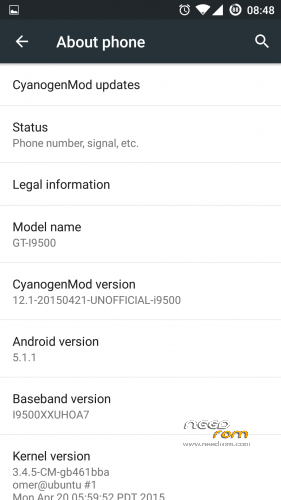
- To enable root tap several times in the build number under "about phone", then go to developer settings and enable root for apps and adb
Credits
- Alberto Guanti and Ethan Chen for their bring up of this exynos device
- CyanogenMod
- TeamCanjica
- BlaqueDroid to help me fix the camera with missing blobs
- MemAllocator
※Please make a backup of your device before installing or updating ROM
niceeeee
coooooooooooooooooooooooooooooooooooooooooooool"!!!!!!!!!!!!!!;'v
This is only for original Galaxy S4 I9500, not working on clone.
This For MTK MT6572,MT6577,Or MT6578 ???
Thanks……love u
Link to download does not work. Please share on different (less change-vulnerable)location…
hi the link is broken, can u send a new link