
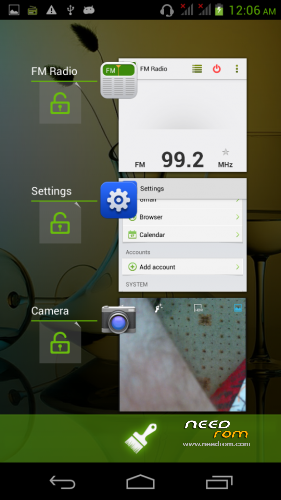
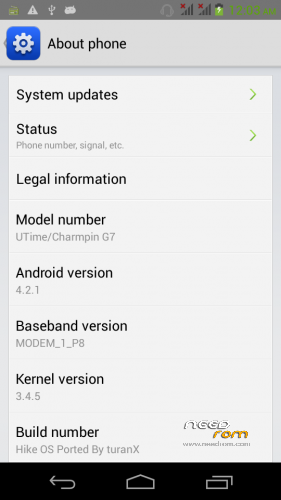
- Title: Utime / Charmpin G7 Hike Os
- Listed: July, 2014
- Last modified: 07/29/2014 5:56 am
- Version: 4.2.1
You must be logged for ROM download.
14231 total views, 1 today
2 Total favorites




 Member Info
DESCRIPTION
You may have already downloaded the zip file from the link above and copied the zip file in SD card. Restart your device in Cwm recovery and make a backup of your device.
Then always from Cwm perform a full wipe:
INSTALLATION
1. Download the. Zip file and dump the firmware to the memory card. 2. Loaded in Recovery 3. Making wipes: 1) Wipe Data Factory Reset
2) Wipe cache partition
3) Mounts and storage -> format system
4) Advanced -> Wipe Dalvik Cache
5) Select Install / Instal zip from SD
6) Choose. Zip firmware file and wait for the end of the process.
7) Boot the system is ready.
gapps included – rooted
Multilanguage…
P.S. I'm Turkish, sorry if I have not written in good English
※Please make a backup of your device before installing or updating ROM
hi there .
I have a china mobile \Utime G7 android …. somehow it developed a fault on operating system and will not load past the Logo … also the backup or reset to factory settings files are wiped or deleted .
Is this the zip file to help restore or put back G7 android operating system that will allow my phone to function again .
Thanks
Daz
Yes it is
Is there any way to install ROM Manager (CWM) into Charmpin Utime G7? I am trying to do that, but with no sucess. The program says Utime G7 is an unsuported device.
Thanks in advance for helping.