
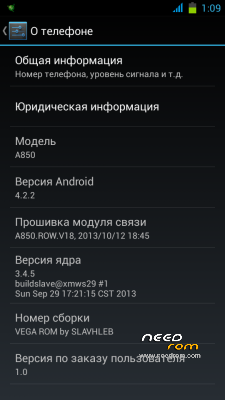
- Title: VEGA rom Lenovo A850
- Listed: December, 2013
- Last modified: 12/29/2013 2:56 pm
- Version: 4.2.2
You must be logged for ROM download.
41611 total views, N/A today
2 Total favorites
CUSTOM


 Member Info
DESCRIPTION
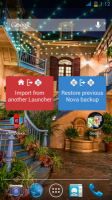
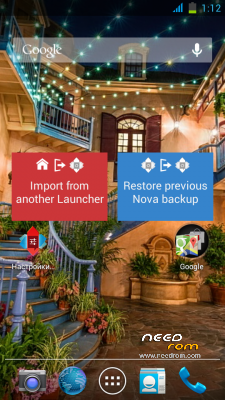
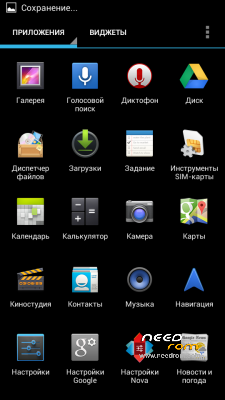
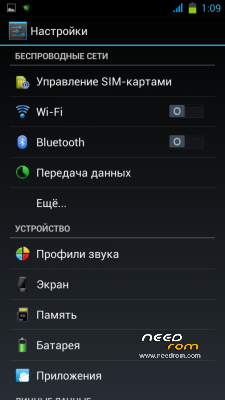
Rom 4.2.2 for Lenovo a850
Language support: Multilang
Changelog:
1)Rom AOSP 4.2.2
2)Deodex;
3)busybox;
4)Root;
5)Radio con FM;
6)Xposed installer;
7)Gravitybox;
8)OgBattery;
9)PurePerformances;
10)Fix app sports
11)Sony Walkamn player;
12)change system themes
russian forum
http://4pda.ru/forum/index.php?s=&showtopic=519120&view=findpost&p=27933479
http://lenovo-forums.ru/topic/3988-custom-rom-vega-rom/
Please help donate to develop firmware that will greatly help solve some of the problems will soon be released update, thanks
※Please make a backup of your device before installing or updating ROM
Why don't you fix this wonderful rom. it's a pity!!! folder mount is not working well!
Will there be an update
i have one question only:
Apps can work on sd card ? who can someone answer me, please ?
language POLAND??
SLAVHLEB Will there apdeit this rum
Test on mine . Rom is Beautiful and speedy , Thanks to Dev.
Just a few questions here,
# how to capture screen shot??????
# I think quick panel setting is need to update.
# weather widget doesn't work .
# Gravity box doesn't work.
waiting for next update, for now back to stock version.
which recovery ?
Please you can have a easy installation procedure and detailed step by step?
thank you very much
Alex
Please someone help me giving me the instructions to install the ROM on my Lenovo A850?
Sorry for late reply,
First time i used this rom, i'm facing big problam with ( GPS, Mobile Data, Wifi) didn't work from quick panel setting. Everytime need reboot again and again .
For now ,i'm running with this rom for daily usage. Everything's OK .
>> # For this rom flashing #
#Flashing type > TWRP Recovery ( Cause' cwm fail to load on my test.)
# Moved your downloaded rom into Sd card .
#Boot into recovery mode. [ Power + volume (+ & -)] ( I'm using TWRP recovery v2.5.0.0),then
# Do full wipe (data , cache, [ Advance wipe > dalvik cache) ] )
# Install this rom ( choose from SD card).
# Wait until finish Flashing.
# Reboot.
Your rom is done flashing now.
>> For quick panel setting error fix <<
#Boot into recovery mode again,
#make full wipe ( data, cache, [ Advance wipe > dalvik cache ] )
#Mount All ( cache, data, emmc, system, sdcard )
# flash (adreline Engine CM 4.5.zip)http://upit.us/2V5 from SD card.
then reboot and enjoy.
>> # For install Stock version Rom #
#unzip downlaoded rom file (A850_S121_28.11.2013_MULTI_LNG(ROW)_by_linerty or any stock rom).
#Run MTK65xx drivers http://upit.us/2V4( install drivers .exe 32 or 64) [ Must install every time you flash Stock Rom ]
#Run flash tool .exe (include in rom unzip folder)
#Click scatter loading > choose( MT6582_Android_scatter) from target bin .
# Tip Da Dl All with check Sum box ( make sure it's check).
Then,
#In your phone setting, Click Usb Debugging ON in Devoloper Option. If you can't find Developer Option, setting > about phone or version info > Click 7 times on Build number and then you can find the developer option when you open phone setting next time.
# Then Power down your phone. Connect with your computer via usb and wait a few sec for drivers installation. ( I don' t removed battery on this step.) After drivers installation complete ,
# Click Firmware upgrade from Flash Tool.
#Flash tool will find your phone & will flash your stock rom.
If flash tool doesn't know your phone,unplug your phone> Click firmware upgrade > plug your phone and try again.
# Then wait until flash tool is done working. When green circle appear on flash tool, your work is done & successfully install your stock rom.
And then if your phone is doesn't auto reoot , remove battery and try again.
# Just it. Enjoy.
sorry for my bad english
Is present the Italian language?
I have a problem with the lenovo A850, the bluetooth disconnects continuously only when is connected to the machine's bluetooth, would like to know if this ROM solves this problem.
If you do not solve it, you recommended me on some ROM that solves this problem?
thanks