
- Title: Vernee Thor TWRP
- Listed: May, 2016
- Last modified: 05/20/2016 12:14 am
- Version: TWRP 3.0.2-1 megthebest
You must be logged for ROM download.
29298 total views, 1 today
24 Total favorites
 Member Info
DESCRIPTION
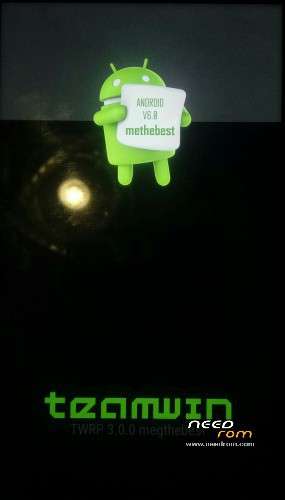
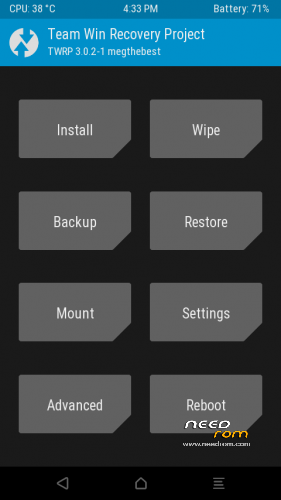
TWRP 3.0.2-1 for Vernee Thor
Multilanguage, more than 10 languages!
Tested With LATEST ROM THOR_20160503
Download and Install correctly Mediatek Preloader drivers before using Flashtool
( Take care on Windows 8.1/10 drivers, you need to disable driver signature before install:)
https://www.youtube.com/watch?v=50pD0mONm44
http://laurentiumihet.ro/technology/windows-10-mtk-vcom-usb-drivers-for-32-64-bit-drivers-installation-tutorial/
https://thebroodle.com/microsoft/windows/install-mediatek-mt65xx-usb-vcom-drivers-windows-8-8-1/
1- With flashtool load MT6753_Android_Scatter-TWRP.txt
2- Select download and connect smartphone to pc (smartphone must be powered off)… in few seconds will start the process and the new TWRP will be flashed
P.S after flashing, enter immediately in TWRP at boot using POWER and VOL + keys at the same time untile Logo
At First TWRP boot, please Answer NO to the request of system files modify don't sweep right. Choose Read Only.(if you chose yes and swipe to the right, you result in a boot loop on reboot)
To have root flash with TWRP the archive supersu.zip 2.71 linked here.
TO restore original Recovery, at step 1, please load scatter MT6753_Android_Scatter.txt and flash..
Consider donate if i help you!
And please rate me 5 stars
Take care, with ROOT And/Or modified Recovery, you WON'T Be Able to apply anu OTA Update (you need to remove root and restore stock recovery before apply OTA)
※Please make a backup of your device before installing or updating ROM
GREAT Job !
Not need to remove root before apply OTA update. Need to restore stock recovery only.
Are you sure? I just have to go back to stock recovery? Do i have to unfreeze system apps that i froze with TTB?
Hi, after install twrp, I boot to twrp and slide the button, reboot and now my Thor don't boot, any help plz ?
thanks
I resolve my problem
Flash Stock rom without UserData and flash twrp again Now I select Read Only and work
Thanks
Perfect.. i need to hurry up on that issue with System modification..
If Stuck at Boot, need to reflash stock rom without userdata (only system partition is necessary to fix the boot stuck)
Hello, something wrong with the link… Mega seems to be out
Hi, just checked, mega links working. Check connection and your dns (in some case your provider block mega)
Hello.Is possible to install xposed framework? Did anyone tried it?
Yes check at the official forum of vernee..where megthebest has post this link
Hi, xposed v84 sdk2 arm64 works, also gravitybox mm works correctly.
http://bbs.vernee.cc/forum.php.....=&mobile=2
Here πατριώτη
Hi there…
I'm doing certainly something wrong… but non twrp and no root…
Is it possible to have a step by step ?
Here is my step by step…
1- instal mediatek Driver on my w7 64b
2- launch Flashtool as administrator
3- clic on scatter loading
4- choose mt6753 android sctter twrp a file
5- clic on the green arrow
6- plug thor (powered off)
7 wait for the OK
8 unplug thor
9 start thor vol+ and power pressed in same time…
AND nothing… still the original menu …..
correct steps.. sure of correct installed drivers ?
Hi, do you disabled signed verification driver?
Same problem here, tried exact steps both on my Win10 machine and Linux Mint 17.3 Laptop. Flashtool shows ok, but recovery stays the same. Flashing Stock ROM is working, but flashing TWRP with OTA 4 is not.
nevermind, figured it out. vol + != vol -
Be more clear and say, don't sweep right. Choose Read Only.
At First TWRP boot, please Answer NO to the request of system files modify (if you chose yes and swipe to the right, you result in a boot loop on reboot)
In case you don't know how to turn it off. Vol- + Power button. Will restart, and now press Vol+ + Power burron. Goo to recovery choose reboor, and pick power off. And go to download stock to restore.
Where is "read only"?
When you first encounter TWRP, you will see a swipe right bar, above that, to the left, there is a button named Read Only. Press it and you will avoid the stock at bootlogo.