
- Title: Vibe 2.0 Perfect Series
- Listed: March, 2015
- Last modified: 03/05/2015 6:37 pm
- Version: 4.2.2
You must be logged for ROM download.
18502 total views, 3 today
3 Total favorites
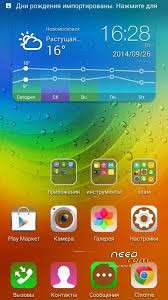
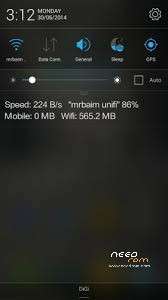
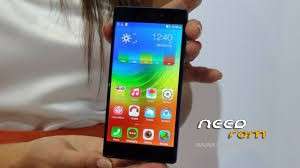
 Member Info
DESCRIPTION
Dissidius_ArditL Perfect Series
Paritioning required absolutely!!!!!!!!
Link is given above!!!!
Steps to be followed before flashing:
1.Make sure TWRP is Installed
2.Make sure tha if you did ANY kind of repartitioning Like with mateos apk flash offical rom through flashtool than follow the guide
3.Install repartitioning zip present in link above
4.Reboot in recovery After Completed Repartitioning
5.Do a factory Reset than reboot again in recovery!
6.Do Advanced Wipe and wipe everything but your external sd card!
7.Install my Perfect Rom!
Cheers if you like my work please consider Donating to my paypal account for the hours i spent !
Most perfect firmware for our device to this date!
Multitasking
Gaming
Beautiful
Smooth
Rooted with SuperSu
Busibox 1.23 with applets!
Deodexed!
Single bug-settings-about phone-status fc!
Attention: With the rom comes only support for old revision devices ps: 130815!
Other boot.img will be provided Shortly in zip packages to be flashed after the rom!
Cheers!
First step after installing Download And install:
1.Xposed Installer
2.Vibexpert module!
3.combine settings with gravitybox and dont mess them with each other!!!
4.Go To settings-storage-select default storage as it fits for you regards!!
※Please make a backup of your device before installing or updating ROM
Nope update is for lenovo kitkat not possible
For those 130817 write in pm so i can cook boot.img
For repartition with mateos first flash offical rom through flashtool than follow instructions!
Hi everyone , after installing repartitioning zip using CWM i got these msgs!
E:Can't mount /cache/recovery/command
E:Can't mount /cache/recovery/log
E:Can't open/cache/recovery/log
E:Can't mount /cache/recovery/last_log
E:Can't open/cache/recovery/last_log
I guess i'm doing something wrong ?!! It is obligatory to use TWRP ?
Can use TWRP or CWM. That error is what I got, I assume from the repartition making mounting impossible. That's why you reboot recovery and format.
ขอบคุณครับ
Just installed this and setting up my phone. Been running Pandawill V2 for a long time and felt like a change Looks nice, will take a while to get used to it, it is quite different to THL firmware.
Does Lenovo account work? Is it worth bothering?
on the plus side: it works for me
but so far everything look like its get regressed from original soft
and languages 1/4 in my selected(Polish), 1/4 in English, 1/4 in Chineses and 1/4 in Russian
I tried this ROM, it ran nice but there was so much Lenovo bloat in there and it's a bit tricky to strip out, plus I was getting security warnings.
Hello Dissidius!
I'm using a THL w200 phone. Is it okay to flash this rom into my phone? I'm afraid that it will not run
hoping for your response TY.
Hello Dissidius!
I'm using a THL w200 phone. Is it okay to flash this rom into my phone? I'm afraid that it will not run
hoping for your response TY.