
- Title: Vibe ROM Multi
- Listed: June, 2014
- Last modified: 06/04/2014 12:01 am
- Version: 4.2.2
You must be logged for ROM download.
19598 total views, 1 today





 Member Info

DESCRIPTION
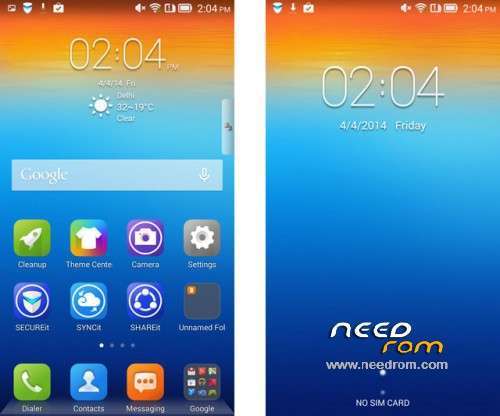
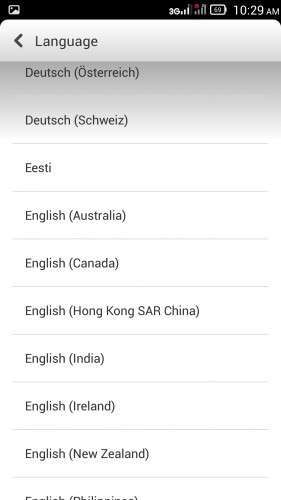
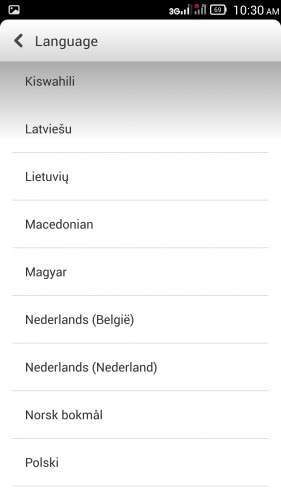
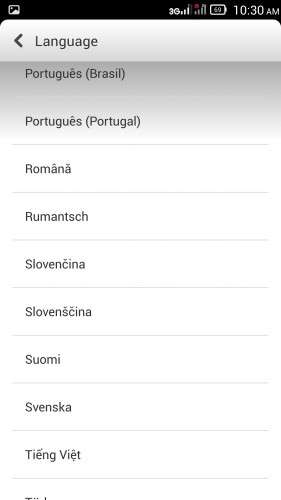
V2 MULTILANGUAGE
———— Update Vibe Ui for zopo c2/980————
— MULTILANGUAGE—
requirements:
NEED TO INSTALL THIS ROM PARTITION THE SYSTEM A 1Giga
Installing partitions:
-Save all the internal mem in pc
- Save a backup of your rom in pc
- Copy the [recovery.img] in the root of your external SD ( TWRP recommended).
- Copy the rom in the external SD .
- Copy the file to the desired partition in the external SD .
—– IMPORTANT: ONCE INSTALLED A PARTITION IS NECESSARY TO PERFORM THE PROCEDURE TO END —
—- YOU CAN NOT INSTALL THE PARTITIONS OF A RESULT OF ' OTHER CASE OF BRICK TEL —–
—- COURSE ALL THIS AND ' AT YOUR OWN RISK—-
— Get into recovery —
1 – perform the wipe cache – dalwik – factory – system
2 – install the desired partition — ONE —
3 – restart recovery.
4 – connect the Phone to the PC .
5 – always in recovery, select mount internal memory
6 – from pc select and format the internal memory , also fast format
7 – Copy the whole internal memory previously saved on your pc .
8 – always unmount internal memory from recovery
9 -Making the three – wipe
10 – Install the rom .
features:
- Multilingual
- light and fast .
- HIGH multitasking
- face – unlock
- Shake – lock
- smart stand-by
- smart call ( incoming call, contact and messages )
- Song – music app with integrated identification and downloads
- 3G – only on slot 1
V1 – light- (with system stock)
Vibe ROM for zopo C2
gapps including light / rooted
This rom is not multilingual. Languages EN / CN / RU
The 3G can be set only on sim slot 1.
To install the language MoreLocale or similar, you will see that some system app will translate
in the desired language.
This rom supports Xposed framework but only with the form Vibexpert to search
Xposed after installing the modules for download. so some features are enabled:
- Themes online with theme manager
- Battery icon
- Power off pop-up modifiable
- Developer option
installation:
copy the zip of the rom on the sd
reboot into recovery
perform the classic three wipe (cache-dalwik-date factory)
install zip
choose zip from sdcard
select the zip file and confirm
the installation finished reboot system now
the first boot takes a little 'more than usual.
※Please make a backup of your device before installing or updating ROM
Is it possible to install a baseband ROM version on lenovo p780 instead of the update version? Thanks
this rom has the last baseband for c2.