
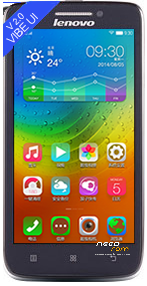
- Title: Vibe UI 2.0 Stable 1434 Official
- Listed: August, 2014
- Last modified: 08/20/2014 11:28 pm
- Version: ROM Android 4.4.2 Vibe UI 2.0 St
You must be logged for ROM download.
36571 total views, 1 today
1 Total favorites
OFFICIAL
 Member Info
DESCRIPTION
Version: EN/CN Only
1. Download any FlashTool for CN (V3 or V5)
2. Select a the MT6582_Android_scatter.txt in ROM
3. Flash Firmware Upgrade + select DA DL All with Checksum
4. Connect your phone into the computer via USB data cable
__________________________________________________
Plus Root Kinguser 100% work (flash zip in custom recovery ) 100% work with Titanium Backup
Plus Recovery TWRP v2.7.0.0_S650 CN (flash by use FlashTool)
Plus GAPPS mini
※Please make a backup of your device before installing or updating ROM
I have downloaded it from vibeui.com and installed today via system update. It took to long to get Twrp flashed. I have tried about six times. Drivers are corrupting after five seconds when you connect the phone. And your root file is OK with Twrp.
you can flash the rom without using pc…
How?
Download the original rom from vibeui.com and copy to SD card.
Go system - about phone - system update and click Menu touch button, select Toolkit.
Select "install the specified update pack" , then select rom on SD card.
That's all
i got problem with google play, before install google play, all apps work fine, after install google play, application that connected with google (eg: chrome, clash of clans, rom manager) stop working. how to fix it. thanks.
Did they fix the battery problem?
and the restart problem?
Unta try this Gapps http://d-h.st/xzi
Using it for 2 days, looks okay for now, battery bad as it was before
U can try to install Root and then Freez some app like Synk, China app or remove it.
How to uninstall that china app?
If install/update like Madmaxibo step,
Will it delete our data?
Yes. There is a warning says -your data will be lost - etc.
Hello,
I got notification from vibe this morning said got updated vibe. So I have installed the update but when I want to flash it, it said failed. I wonder if I need to clear factory data and all that sorts or do it manually from computer to smartphone via usb cable? One more problem, I can't restore my backup data from titanium backup after I update my system to vibe 1.5 long ago, I can't fight the right solutions, it always said "failed to parse package". Anyone can help?
find*
If u want remove some app in this rom, u must install root from this post, then update kinguser (root, properties and update), after this steps u can go to kinguser and Remove app’s.