
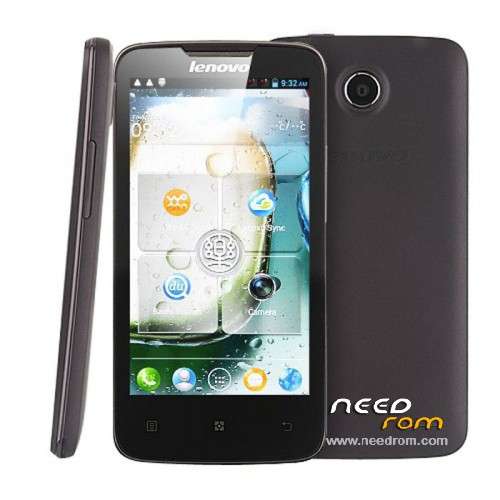
- Title: VibeROM Lenovo A820 V1.5 for SP Flash Tool
- Listed: March, 2016
- Last modified: 03/22/2016 3:13 pm
- Version: 4.2.2
You must be logged for ROM download.
13150 total views, 1 today
 Member Info
DESCRIPTION
Fireware by Petro1990
Languages: EN/CN/RU
Received root
Changes
- installed Xposed Framework and VibeXpert;
- updated app 4pda and some other;
- small fixes from the Chinese;
- ported from Lenovo S920 and Lenovo P780 (VIBEROM_V1.0_1411_DEV);
- applied all previous fixes.
- instead of "Tutorial for beginners" made the item "engineer mode (MTK)";
- made the extended menu of the developer;
- in setting the added function ADB over WiFi;
- in "Settings for USB connection" added "USB tethering"
- small fixes from the Chinese;
- ported from Lenovo S920 and Lenovo P780 (VIBEROM_V1.0_1409_2_DEV);
- applied all previous fixes.
- fixed issues with sound on the recorder and the camera;
- added AROMA Installer;
- added the ability to choose to sort contacts: by name and by name
- installed Xposed Framework and VibeXpert;
- updated app 4pda and some other;
- small fixes from the Chinese;
- ported from Lenovo S920 and Lenovo P780 (VIBEROM_V1.0_1411_DEV);
- applied all previous fixes.
The features of this firmware
- Works: camera (panorama, not dark), radio, GPS;
- support for init scripts.d;
- installed Gipsy;
- installed the Xperia keyboard;
- removed any unnecessary Chinese software;
- cut out unnecessary items in the settings;
- removed SECUREit. Instead, it should LBE. Some may not want deleted no problems;
- LenovoWeather shows the weather
Run GPS:
To GPS settings go to Settings – System – location services and check all daws. Go to "GPS satellites" and there is also a note of all daws. This is necessary in order to engineer mode MTK you have determined the chip. Then go to MTK engineering mode, and set everything there.
※Please make a backup of your device before installing or updating ROM