
- Title: 1609 +Root +Gapps
- Listed: February, 2016
- Last modified: 03/27/2016 9:40 pm
- Version: 6.0
You must be logged for ROM download.
23888 total views, 1 today
6 Total favorites

 Member Info
DESCRIPTION
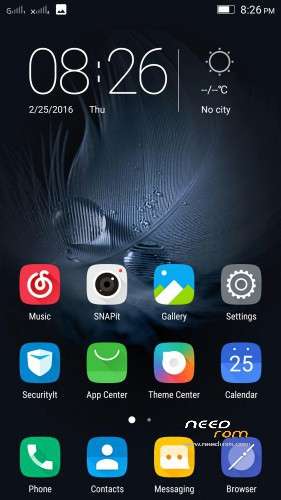
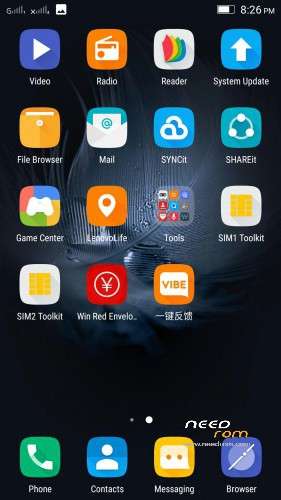
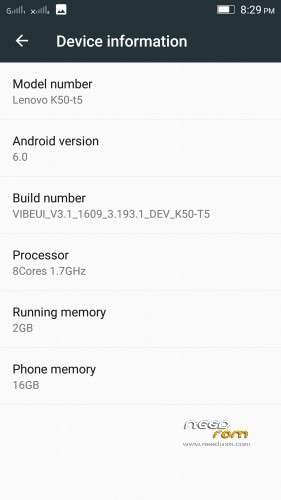
VIBEUI_V3.1_1609_3.193.1_DEV_K50-T5
Device:
Lenovo K3 Note
Codename :
K50-T5
Android version:
6.0
Custom UI:
VIBEUI V3.1
OFFICIAL :
YES
Recommended Installation method:
Recovery mode (TWRP (2.8.7.0 or up) / CWM)
NOTE:
* The updater-script is already edited, so you can directly flash it via recovery.
* The rom may replace your recovery after first boot. So I have provided the latest TWRP recovery above which you may use if needed.
Flashing Process:
* Download all the files and put it in phone memory
* Boot to Recovery, Then goto WIPE > Advanced Wipe > Tick "Cache", "Dalvik Cache", "System", "Data" > Swipe to confirm
* Now flash the zip package *BUT DON'T REBOOT SYSTEM YET*
* Flash "K3NOTE_MM_Patched_Boot_1608+.zip"
* Now reboot system and complete the setup wizard before you flash anything else.
(DO NOT FLASH GAPPS OR SUPERSU WITH THE ROM, FIRST BOOT!!!)
Tutorial for GAPPS, ROOT:
1. For root, download "UPDATE-SuperSU-v2.46.zip" > Flash via recovery and boot
2. For Gapps, download from the provided "MM GAPPS Folder" (or latest gapps from http://opengapps.org/ [ARM64, 6.0, PICO] )
- Go to recovery and flash the gapps zip
- Reboot system.
- From here, if you get a message "Google Play Services: Within 1 hour, GPS:… times", TICK "Dont remind me again" and press "I understand". DO NOT BLOCK OR DENY! Also, you may get a lot of Google Force closes, they will be gone after you complete all the steps.
- You will get a message "Unfortunately setup wizard has stopped" as soon as boot up. Don't panic, press: Try to solve >> Clear Date >> Permission Management >> (Allow all permissions)
- Go to Settings > App Manager > Google Play Store > Permission Management > Allow all permissions
- Go to Settings > App Manager > More > Google Play Services > Permission Management > Allow all permissions
- Now Enable Internet if not yet done > Open play store > Sign in with your google account
-
- Done! You have Gapps now!
※Please make a backup of your device before installing or updating ROM
Do not make him mad these ROMs multiple languages
These are OFFICIAL ROMS made by OFFICIAL DEVELOPERS, so they decide which language it should have.
Thank you bery much Mr. Shenge for sharing this ROM. I have some questions:
Is this a pure, non-modified official rom?
GAPPS preinstalled or not?
ROOTed or not?
I see you know my style
Yes:
This a pure, non-modified official rom?
GAPPS not preinstalled?
Not ROOTed.
Oops don't mind the question marks. Typo.
Oh yeah, i know and i like your style
Thanks for the answers.
GAPPS 6.0?
Download from opengapps : ARM64, 6.0,pico
can someone give me link to gapps and supersu that wpuld work in this rom thank you.
Post description updated + Links added. Check
Any bugs???
Please explain bugs if any one has tested this rom
Use the rom and Try to Find out!
It had spanish this rom??
No, But you can add multilang to this rom from here:
https://www.needrom.com/downlo.....-multilanguage/
support XPOSED ??
Yes. Xposed supported.
I cant install this one. Full wipe from TWRP 3, install 1609, after restart only lenovo sign and nothing… Any hint?
Follow the instructions carefully. I personally tested this rom, so i know it works.
same issue
See other comments for more information.
It takes too much time to boot, atleast 20 mins or more, do nothing,let it boot up.
please share gapps
Post description updated + Links added. Check
nvm, saw ur post thanks