
- Title: VIBEUI NAQ 1611
- Listed: March, 2016
- Last modified: 03/15/2016 2:08 pm
- Version: 6.0
You must be logged for ROM download.
17141 total views, 3 today
1 Total favorites
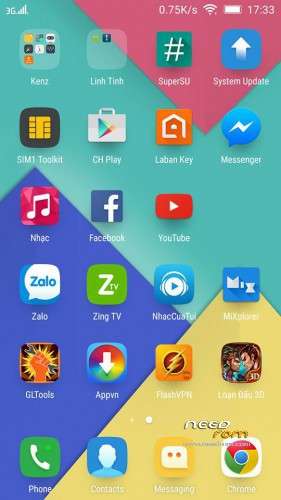
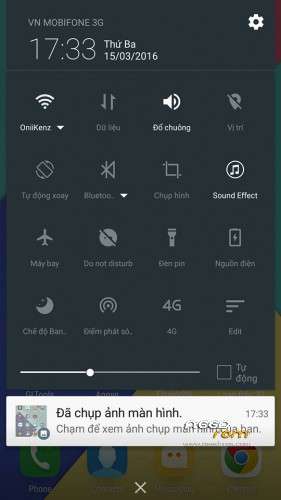
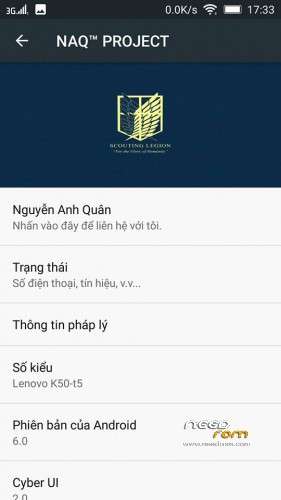
 Member Info
DESCRIPTION
My Facebook : https://www.facebook.com/profile.php?id=100009580701396
Our Team : https://www.facebook.com/groups/k3note/
LENOVO K3 Note (A7000 Plus) Việt Nam
——————————————————————-
Author : Nguyễn Anh Quân ( NAQ )
( Base MM 1611 Dev - Lenovo K3 Note )
Thanks to Leishui, Cuoco92
THIS ROM FROM NAQ™ PROJECT
————————————————-
Changelog :
- Multilanguage
- Shortened sizes. Ultra light. Super Smooth. – 597Mb
- Supported Xposed
- Add LabanKey , removed Chinese keyboard
- Improved Battery Life
- Quick Charge
- Maxx Audio.
—————————————————-
Link Xposed : https://goo.gl/Uejdqx
Link Gapps : http://opengapps.org/
Tick Arm64/Android 6.0/Pico – Delete SetupWizard before flashing.
——————————————
1. Go To Twrp
2. Wipe cache – dalvik cache – system – data
3. Mount -> uncheck system
4. Reboot -> Recovery
5. Install -> Choose Rom -> Reboot
6. Wait 7 Minute and Enjoy.
====================================
Credit : Nguyễn Anh Quân
※Please make a backup of your device before installing or updating ROM
updater process ended with error : 7
bruhhhh, read instruction carefully man. First go to twrp select wipe cache,dalvik,system ,data. Now after that go back and tap “mount” uncheck “system” next step tap “reboot” then tap “recovery” then install zip rom.
hacı 2 aşamalı kurulum dikkat et
1. Go To Twrp
2. Wipe cache –dalvik cache –system –data
"""3. Mount ->uncheck system"""
"""4. Reboot ->Recovery"""
5. Install ->Choose Rom ->Reboot
6. Wait 7 Minute and Enjoy.
Tick Arm64/Android 6.0/Pico – Delete SetupWizard before flashing. What is this and where to find this?
Bruhh just install gapps after flashing rom. reboot first then install gapps. after that youl get an error just tick “try to solve ” and allow everything.
Singhrakhu, You can use this gapps that i deleted setupwizard. Download and copy into sd card then shut down your device. Boot into custom recovery choose this gapps and flash , done restart and your device will have CHPlay and CHPlay service
Singhrakhu, You can use this gapps that i deleted setupwizard. Download and copy into sd card then shut down your device. Boot into custom recovery choose this gapps and flash , done restart and your device will have CHPlay and CHPlay servicehttps://drive.google.com/file/.....iew?usp=sharing
Hello,
tick Arm64/Android 6.0/Pico – Delete SetupWizard before flashing, ist nowhere at my twrp recovery software (v3.0.0.2) to find und
I am also unable to find a download possibilty for Google apps (gapps) – pls. be so helpful (to a dilletant like me) to describe the
installing process traceable – thank you
Go to TWRP, wipe data, cache, dalvik cache, install rom zip than reboot mobile..after reboot again go to Twrp and flash gapps, reboot and allow all permisions
Who is tested Nova luncher and App lock?
install failed for me …
Tick Arm64/Android 6.0/Pico – Delete SetupWizard before flashing = Means delete the file setupwizard in the gapps zip. it is located on core folder inside the gapps zip.
Thanks for the rom. Find bugs everytime i reboot or power off then turn on, my data connection will always on. Another one is the internal sd card, it reads as emulated\o in titanium and root explorer. also, the external sd card can't find in storage. Work around is to view it on mnt folder as m_external storage.
super smooth
cant download any app from play store,,, due to an error
Just reboot your phone man.
very faulty Rom
support turkish language
Yes any rom have problems. It can be small or large. No rom is perfect. If you don't like this rom you don't need to download and use.But with me, i think this rom is quiet good although it has some issues.
hi,
thanks for the room. I will flashed ROM succesfully but gapps problem! I couldnt download gapps. please give a direct link for gapps. 500 mb of gapps package is too big. give us the right details of package. arm? arm64? android 5 or 6? mini , micro, nano ?? K3 note has 64 bit processor. the download link shows arm… please give information about gapps….
https://drive.google.com/file/.....iew?usp=sharing You can use this gapps