
- Title: ViperOS Extended 3.1.3
- Listed: October, 2019
- Last modified: 02/06/2020 11:15 pm
- Version: ViperOS Extended 3.1.3
You must be logged for ROM download.
10548 total views, 2 today
 Member Info
DESCRIPTION
Firmware
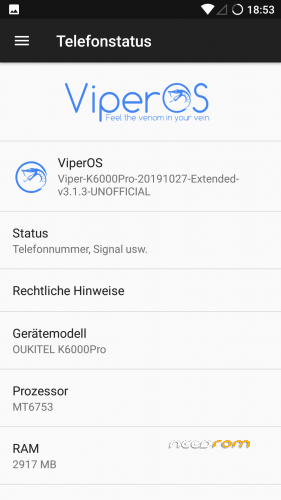
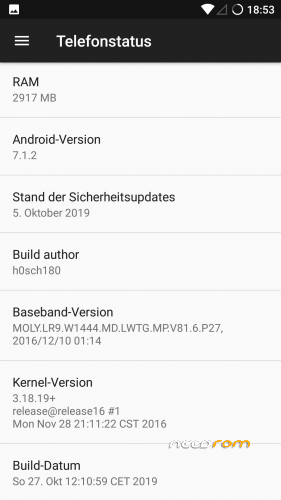
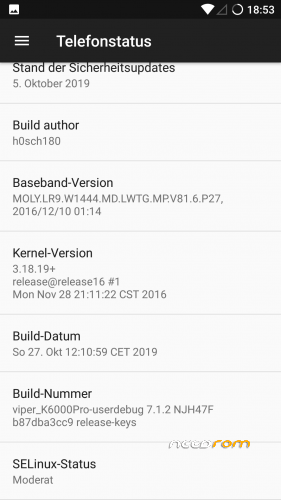
Android-Version: Android 7.1.2
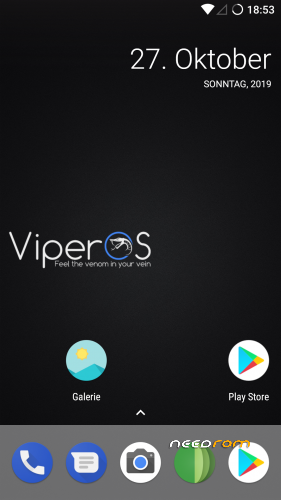
Custom-Rom: ViperOS Extended 3.1.3
Build-Version: Build 20200206
Features
- Based on Nougat with ViperOS Extended
- newer android version (7.1.2 and stock firmware uses 7.0)
- latest ViperOS Extended patches and security fixes
- Security patch level 2020-01-05
How to install the ROM
You have to use my Unoffical TWRP 3.3.1-0 Recovery to flash your device later. The file in the attachment is zipped and valid for the Recovery (don't extract!)
Please backup NVRAM and IMEI with TWRP BEFORE flash! If you lose your MAC / IMEI after flash, you can restore it in 2 seconds!
First time installing the ROM
Boot into TWRP -> delete Dalvik, Cache, System and Data -> Install the ROM ZIP -> Install GAPPS -> Restart your phone -> thats it!
Upgrade from earlier version
Boot into TWRP -> delete Dalvik, Cache, System -> Install the ROM ZIP -> Install GAPPS -> Restart your phone -> thats it!
Update to newer version with patch
Boot into TWRP -> Install Patch ZIP -> delete Dalvik, Cache -> Restart your phone -> thats it!
Bugs and how you can fix it
- should be fine
FAQ
Whats works?
- everything
what doesn't work?
- none
Is the ROM rooted?
No. You can install Magisk or SuperSu via TWRP
What about other languages?
You can choose your language as usual
Are the Google Play Service already installed in this ROM?
No. You have to install newest open pico gapps (ARM -> Android 7.1 -> Pico)
What is the different between source and optimized in changelog version?
source: build the custom rom directly new from source code
optimized: only changed some files / fixed bugs from latest rom
※Please make a backup of your device before installing or updating ROM
PMT changed for the rom; it must be downloaded. Please select "Formal All + Download" scene and try again
Partition [preloader] No image file Exist
I used official firmware 7.0 (flashtool rom) and swapped recovery image with TWRP recovery image (just replace file in folder of official rom); this worked. Boot first to TWRP and flash this ROM.
"You have to use my Unoffical TWRP 3.3.1-0 Recovery to flash your device later." dont work
Working fine for me.
Great Job!
Only issue is that the system is using 28gb of my 29 available… so that is a negative thing.
Works like a charm. Thanks
It is not fine. Bluetooth doesn't work well : can't connect my Plantronics headphones and my Home -trainer whereas it worked fine with stock rom V26. Same problem with other variants (Lineage, CRDroid…) Please fix bluetooth.