
- Title: W200S FLIES Rom
- Listed: July, 2014
- Last modified: 07/07/2014 9:12 pm
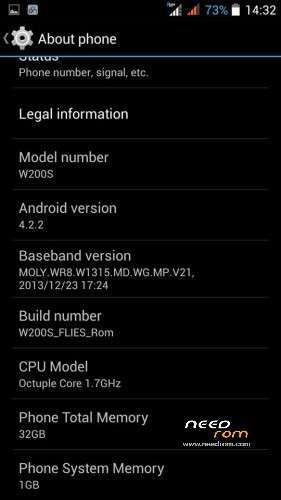
- Version: Android 4.2.2
You must be logged for ROM download.
16413 total views, 1 today
 Member Info
DESCRIPTION
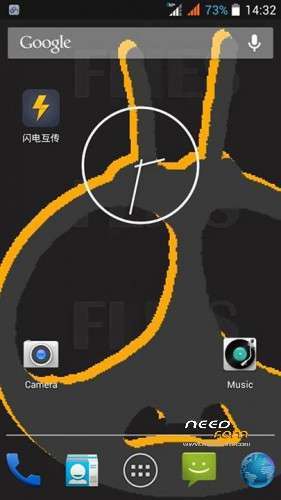
My custom Rom for W200S
I don’t test it a lot. but work on my W200S
Please be sure to make a backup of your phone before !
Then just Wipe Data/Cache/dalvik
And update from CWM
From ThL Thailand Club
for W200S (MT6592) Only
Install ROM:
CWM
Step 1: Download the custom ROM copied to an external SD card root directory
Step 2: the shutdown state. While holding down:
– Power button + volume button up, to enter the recovery mode.
– Wipe Data / Factory Reset -> delete all user data
– Wipe Cache Partition -> Wipe cache
– Advanced -> Wipe Dalvik Cache
Step 3: Return to recovery main interface Install zip from sdcard -> choose zip from sdcard -> Select your ROM
Step 4: Brush complete, restart the phone Patience required – first boot takes a while.
※Please make a backup of your device before installing or updating ROM
Got this error when clicked the link
Can you fix this?
Llnk does not work….
ok
Thank you
thank you.
Thank you.
Xposed Support – OK
VideoCall Screen – OK
During the 3h test the CPU temperature never went below 30 degrees Celcius.
Even with phone inative for 20 minuts, device very hot
Detected NFC services enable
The app "DeviceTestApp.apk" is on a 5 seconds loop because it can't find NFC Hardware [i wonder why...]
As is this ROM keeps de devices @ 35/39 degrees Celcius || 95/102.2 degrees Fahrenheit.
Removed the following files:
- /system/app/DeviceTestApp.apk
- /system/app/Tag.apk
- /system/lib/libmtknfc.so
- /system/lib/libmtknfc_dynamic_load_jni.so
- /system/lib/libnfc_mt6605_jni.so
- /system/lib/libnfc_ndef.so
- /system/etc/permissions/android.hardware.nfc.xml
- /system/etc/permissions/com.android.nfc_extras.xml
Repacked ZIP file without these files and flashed it.
Temperature dropped to 28/32 degrees Celcius || 82.4/89.6 degrees Fahrenheit on stand-by.
Still in my opinion very hot… With CM11 Rom i usually got 25/28 degrees Celcius || 77/82.4 degrees Fahrenheit on stand-by.
hadae, good work, despite the issues!
Thanks for the share
I hope the uploader will never upload a rom.that will damage the phone’s hardware again…..just like what he did from note 3 rom that i have flashed a month ago, t
hat until now my led flash is still dimmed!!! -__-
Anyway thanks for this, ill try
I hear u…
Still hopping to find a solution… Got an info that another user that got a dimmed flashlight by using that ROM reported replaced the LED and the new one is still dimmed
According to the tec that handle the phone it's a specs issue.
Solution: Find the FULL [for all partitions] factory flash image for this phone, and flash it
Where can we get one of those?
Im sorry sorry sorryyyyyyyyyyyyyy