
- Title: Windows 8 Rom
- Listed: May, 2014
- Last modified: 05/06/2014 2:17 am
- Version: Rom Android 4.2.1
You must be logged for ROM download.
18085 total views, 1 today



 Member Info
DESCRIPTION

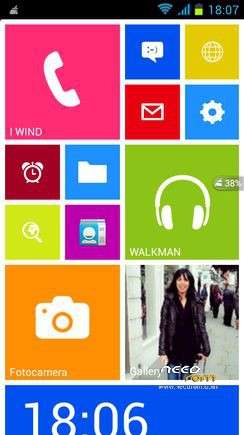
Windows 8 Rom
This is the version to install from CWM recovery
valid for all models of Haipai I9389 MTK6589
Links to everything that is required for proper installation can be found in the following paragraphs.

Features of the Windows 8 Rom
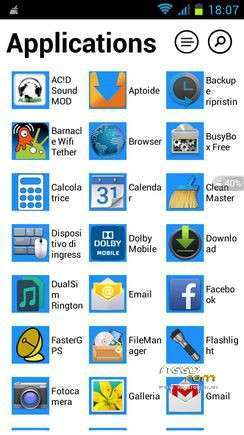
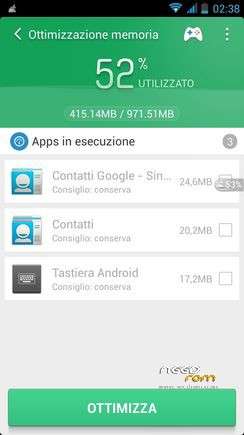
This Rom is complete of any kind of app, so it is very heavy … but I have done an awesome job in the development of performance, giving to this ROM a fluidity and an impressive speeds above if compared to the more than 200 apps which this ROM is composed …
I modified the kernel to make the Rom even more powerful.
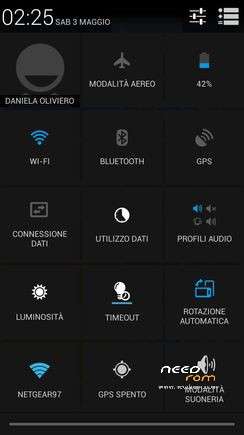
The ROM is multilingual.
Follows a list of the main features of the Windows 8 Rom:
* Root
* Kernel 4.2.1 (boot.img) new and modified with real support init.d
* Zipalign at every boot
* Sqlite optimization at every boot
* Very smooth, with no lag
* Absolutely full app in the system
* Extremely stable
* Gapps already installed
* Optimized to the maximum
* Original Boot Animation
* Original Logo initial
* Build.prop optimized
* Gps.conf optimized
* Scripts and Tweaks listed in the following section
Scripts & Tweaks
After careful selection and long and patient work, in order to adapt to this device and delete all the conflicts I could insert different and will list only the main ones:
* Adrenaline Engine
* Loopy Smothness
* Geeky Engine
* Net-Fork
* Supremacy
* VelocityTweaks
* SlaidyBoost
* BeatsAudio
* CosmisTweak LightSpeed

Introduction to the installation of the Windows 8 Rom
Before installing the Rom you need to make a backup of your device in case something goes wrong. Do it with MTKDroidTools flashabile with FlashTool.
Those who have already installed the recovery Cwm they can make a second directly from recovery.
For the first, here is a guide to the procedure of backup, for the latest version of MTKDroidTools and drivers necessary for the proper use of the application Backup with MtkDroidTool
Just this already, but if you want here is the guide for the second procedure to install the modified recovery Cwm How to install Cwm recovery

Installing the Windows 8 Rom
- You may have already downloaded the zip file from the link above and copied the zip file in SD card.
- Restart your device in Cwm Touch recovery and make a backup of your device.
- Then always from Cwm perform a full wipe:
-> Wipe Menu -> Wipe All Data – Preflash
-> Wipe Menu -> wipe Dalvik Cache
- You are ready to install the Rom from Cwm with the usual:
-> Install zip from sdcard.
- It will launch my installation procedure with the touch controls. Be guided by Touch Installer to complete the installation.
- After the installation, reboot again into CWM recovery and from here again:
-> Wipe cache partition
-> Advanced -> Wipe Dalvik Cache
Reboot.
Due to a bug in the launcher of Windows 8 only the first installation (then not need it anymore), you must follow these steps:
- Press the left soft key to open the settings
- Press the "Theme"

- From the window that opens press at the top right on "LockScreen"

- In the new window press on the "Launcher 8 LockScreen"

- Now change the setting of the lockscreen from "ON" to "OFF"

- You can exit and restart the phone … And now enjoy!!
Which author of this Rom decline any liability for whatever may happen to Vs device as a result of the flash itself.
If you are afraid, then don't install anything and you will sleep peacefully the night, otherwise you do it at your own risk!
In any case, just do a Nandroid backup before installing anything and every problem should be averted.
Resolution of any problems after the installation of the Rom
I invite everyone to make a backup.
Only if you have done the backup and you are able to restore the device then you can write me relatively few bugs in the rom or any other problem.
So ATTENTION! … You did not do a Nandroid backup? … You are not able to restore the device? … Well, do not write to me, because I will not answer to you!!
Conclusions
Enjoy my work. It's really the most beautiful. Enjoy!!
I have put, too, the link to the CRT recovery version 2.2, which I made for this device. It 's a good recovery full touch. The features in this link https://www.needrom.com/mobile/carliv-recovery-touch-2-2-2/
P.S. I'm Italian and sorry if I have not written in good English

※Please make a backup of your device before installing or updating ROM
who is the dev of this rom?
can i port this for my mmx a116 hd
Certainly. Let me know if you need anything.
See you soon