
- Title: X5 Max Pro firmware
- Last modified: 07/04/2017 5:24 pm
- Version: DOOGEE-X5max PRO-Android6.0-20170412
You must be logged for ROM download.
32743 total views, 3 today
9 Total favorites
OFFICIAL

 Member Info
DESCRIPTION
Android 6.0 firmware for Doogee X5 Max Pro
ROM Version : DOOGEE-X5max_PRO-Android6.0-20170412 / Wed Apr 12 11:00:41 CST 2017
Installation instruction:
1. Flash the firmware using SP FlashTool
2. Enter into recovery and Wipe all userdata
3. Reboot to the system
※Please make a backup of your device before installing or updating ROM
One week has passed and no ads and no unwanted aps.
Official firmware from doogee contains spyware in a lot of the stock apps. If you install a firewall this will become apparent quick. Some of these apps are only active and visible on the device when it sends data to china, after that they are hidden again. Official doogee roms are _not_ clean even though your malwarebytes app (and such) says it is. Use at own risk.
That is the real truth of Doogee stock roms.
TWRP don't work block on doogee boot
You have x32 and x64 twrp versions…may be the problem is here.
Was not TWRP but superSu i use the last version of TWRP with super su R2.82
Hi! jemmini.
I ve flash my phone with youre Rom DOOGEE-X5max PRO-Android6.0 and it is veri good for my phone. Olso Ive root my phone.
But the problem is fixing the IME. I have try diferent program but dont work.
Please! do you have AP_BP_files or DB for MT6737M.
Ive try with program :IME&SN WRITER fill all the staf and when ask for Select BD I dont have the file from your Rom. Ive try with other BD file ex MT6735 but no result.
This your room look like. and the other dosnt work they have DB file: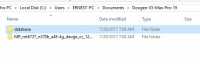
If you have a DB fille original with the room Please! sendit to me. to ernestkatundi@gmail.com. Ciao!
Hello, please see you this link : https://forum.hovatek.com/thre.....ad-12328.html. It's run for me.
Hello, I bought a doogee x5 max pro in december of the last year but in 4 months the mobile don´t charge so I ask in the shop and the shop change my mobile for another one. I recieve the mobile today and I begin to install TWRPx32, the TWRP don´t works…
I probe with the 64 bits version… don´t work, but finally I install the TWRP 3.1.1 and its works!!
Well, the next step is to install another custom rom like Clean Mod…. Now the mobile when I turn on only the screen bright for a bit but I can´s see the doogee icon, I can´t enter to the recovery system…etc. So, I deduce that the new doogee x5 max pro models have new chips or hardware and the old custom roms doesnt work :S
Any advice? xD I try use that rom, hope can works….
Thaankkss!! You save my life. Perfectly works.
There is malware still. When I open google play store it redirects me to OneGogo's file manager.
This is happening to after a month aproximately.
Is there any clue to solve this?
Regards
Not clean, includes malware
Se rapprocher de l'image ci-contre : les fonctions sont à la même place.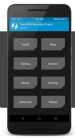
Sorry, show this picture : same buttons and same functions.