
- Title: Xiaomi Android 14 Unlock Bootloader
- Listed: November, 2024
- Last modified: 11/25/2024 6:14 am
- Version: 14
You must be logged for ROM download.
4576 total views, 1 today
1 Total favorites
 Member Info
DESCRIPTION
 Xiaomi Android 14 Unlock Bootloader
 Unofficialy Way in Fastboot or ADB Mode
Step 1: Prepare Your Device
-
Connect Phone to PC:
-
Insert a SIM card with a working data connection into your phone.
-
Use a USB cable to connect your phone to the PC.
-
-
Enable USB Debugging:
-
Go to Settings > About Phone.
-
Tap Build Number (or MIUI Version) 7 times to enable Developer Options.
-
Go to Settings > Additional Settings > Developer Options.
-
Enable USB Debugging.
-
-
-
In the Developer Options, enable OEM Unlocking.
-
-
Set Default USB Configuration:
-
In Developer Options, set Default USB Configuration to File Transfer.
-
Step 2: Prepare for Bootloader Unlock
-
Check Mi Unlock Status:
-
Open Settings > Additional Settings > Developer Options > Mi Unlock Status.
-
Sign in with your Mi Account. If you don’t have one, create a new account.
-
-
-
Download the Xiaomi Unlock Bootloader Tool on your PC.
-
Extract the downloaded files to a folder.
-
-
Copy APK Files to Phone:
-
Inside the extracted folder, look for the APK files corresponding to your Android version (e.g., Android 13 or 14).
-
Copy these APK files to your phone using the file transfer mode.
-
-
Install APK Files:
-
Open the file manager on your phone.
-
Locate and manually install the copied APKs
-
Step 3: Bypass Debugging Restrictions
-
-
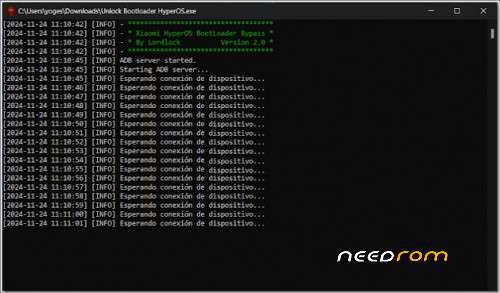
In the extracted folder, locate the
phpfolder and run thebypass.cmdfile. -
When prompted on your device, allow USB Debugging.
-
-
Recheck Mi Unlock Status:
-
Return to Settings > Mi Unlock Status.
-
Add your Mi Account again. If it fails, try again until the
bypass.cmdprogress log shows success.
-
Step 4: Unlock the Bootloader
-
Open Mi Unlock Tool:
-
Close any unnecessary applications.
-
Open the Mi Unlock Tool program from the extracted folder.
-
-
Reboot to Fastboot Mode:
-
Power off your device.
-
Press and simultaneously hold the Volume Down + Power Button to enter Fastboot Mode.
-
-
-
Use the Mi Unlock Tool dashboard to detect your phone in Fastboot Mode.
-
-
Unlock the Bootloader:
-
Follow the on-screen instructions in the Mi Unlock Tool to unlock the bootloader.
-
This process may take a few minutes and might require internet connectivity.
-
Note:
-
Unlocking the bootloader will erase all data on your device. Ensure you have a backup before proceeding.
PASSWORD: xhohep0679
THANK AND DONATE…
 FILE FREE
※Please make a backup of your device before installing or updating ROM
ty
THANK AND DONATE…