
- Title: Xiaomi Redmi Note 3
- Listed: January, 2016
- Last modified: 01/11/2016 4:29 pm
- Version: 5.0.2
You must be logged for ROM download.
24349 total views, 2 today
6 Total favorites

 Member Info
DESCRIPTION
Important…
"Read Step by step,be careful"
- Download All Preparation
- Power off your Redmi Note 3 (make sure it has at least 60% battery)
- Download ROM from above Link and extract it into your PC (Use Winrar Software to extract).
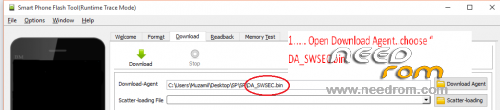
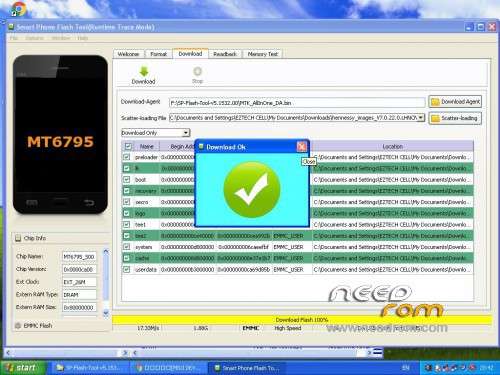
1. Open SP Tools v5.1516.00 Press Download Agent choose DA_SWSEC.bin
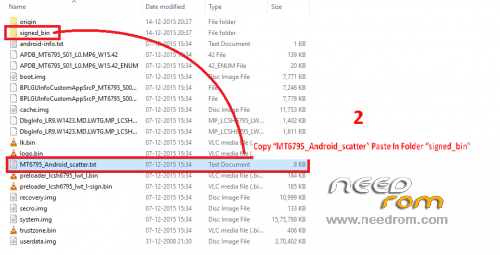
2. Copy MT6795_Android_scatter paste in folder signed_bin
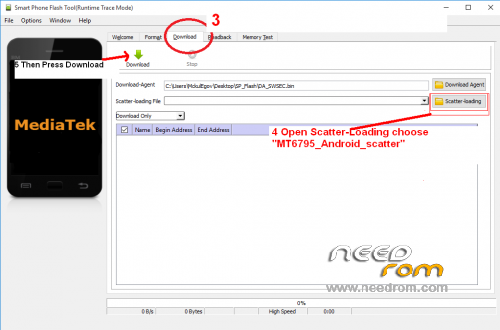
3. Make sure you are under the tab "download" Mode!
4. Select the Scatter File from signed_bin folder and Path should be loaded Automatically.
5. Then Press Download button, and then plug the USB cable to your Computer press and Hold the volume down key (Don't Keep Usb Plugged)
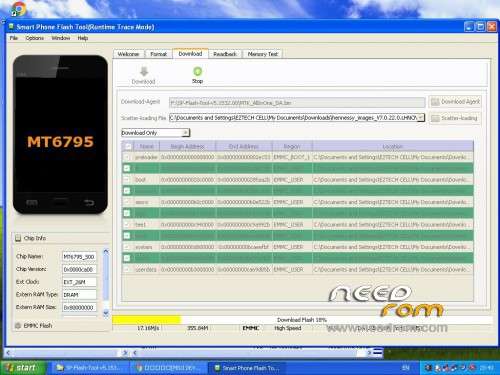
6. DONE A big green tick will appear when flashing progress is finish.
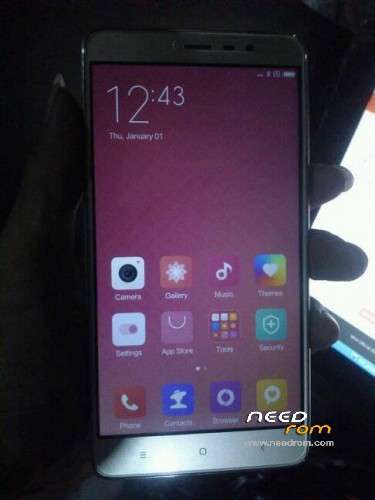
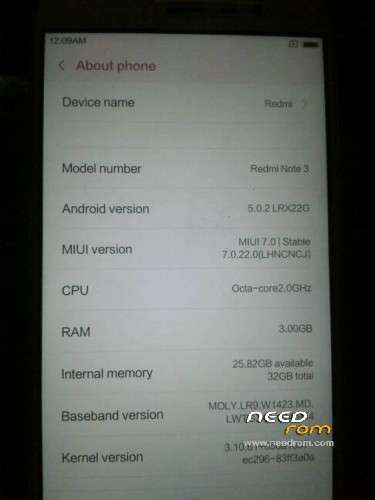
"description in the picture"
I use SP_Tools_v5.1516.00 it's work TESTED BY ME
DWYOR
Source : MIUI FORUM
※Please make a backup of your device before installing or updating ROM
i download and get 1 unknown type package… how to extrect it.
thanks
Thank somaush
not wrking for me
it is NOT multilanguage! Only chinese and english