
- Title: XOS Chameleon S7 3g & 4g
- Listed: November, 2017
- Last modified: 03/17/2019 1:30 pm
- Version: Android 6
You must be logged for ROM download.
13065 total views, 1 today
2 Total favorites

 Member Info
DESCRIPTION
Update for S7 4G Users
ROM feature:
NO DELAY, FAST, BEAUTIFUL
Support Theme Xui
Battery Saver
Smooth
Rooted with latest Magisk Manager
Busybox runtime
Optimized system performance.
Fixed issues.
Background management is optimized via intelligent RAM management,
regular system acceleration, and one key fast-clean memory.
Overall performance is improved by 21% for ultra smooth operation with zero lag.
Thanks to flar2 for ElementalX-ES7-1.04 KERNEL
New script for mount point – it can be installed with TWRP 3.0.3 or TWRP 3.1.1
Inconvenience:
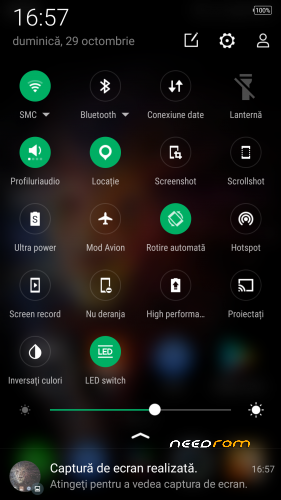
Torch toggle icon
- I had rewritten all flashlight controllers
INSTALLATION:
Download the ROM from the link above
Put the zip file on your SDCard
Reboot in Recovery
Perform an advanced Wipe
Dalvik / art
Cache
Data
System
Select "Install zip from SDCard"
Choose ROM zip file
Flash
Wipe Cache & Dalvik Cache
Reboot system
※Please make a backup of your device before installing or updating ROM
Great post! Could you adapt it to the Elephone S7 x20 4 / 64GB? I would greatly appreciate it!
i think its because you need to flash stock rom android 6.0 and after install this rom over the stock..i solved doing this.
no Network on sim card.. no card inserted message
works fine!
Elephone S7 4GB. Endless logo. In the beginning was set stock android 6, then recovery 3.1.1, then super su, then wipes are and installation according to the instructions. Recovery 3.2.2 – the rusult has not changed.
Sorry, I take that back This rom works!
I installed the wrong version instead of stock before installing…
Which version of Android 6 stock do I need to install before installing this rom?
Links will be appreciated.
https://mega.nz/#!lmIU1SpS!dob.....ouTLnngtCib6JjM
Thanks for a quick reply. I am new to flashing and rooting and want to try this rom.
Can I install it through Android recovery rather than twrp ? What steps should I follow?
to install a custom firmware you need to use TWRP Recovery
https://www.getdroidtips.com/r.....on-elephone-s7/
Do I need to uncheck the preloader option in SPFT while installing stock rom?
As u said I flashed Android 6 stock rom successfully but lost my IMEI. After that I tried flashing TWRP 3.1.1 and did all steps correctly but Android recovery showed up every time . Kindly help
It think that twrp 3.1.1 is made for Android 7.1.1 stock. Tell me if I m doing anything wrong
TWRP 3.1.1 work great on both version android 6 or 7.1.1
install stock rom 6 MM and run once
install twrp and follow INSTALLATION procedure