
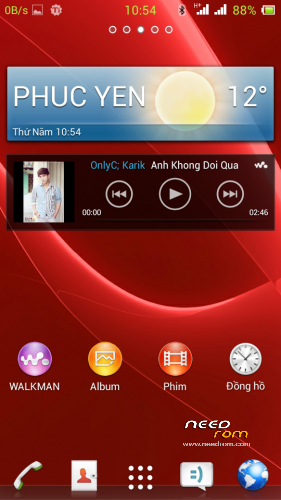
- Title: XPERIA UI FOR ZP700
- Listed: March, 2014
- Last modified: 03/10/2014 2:27 pm
- Version: 4.2.2
You must be logged for ROM download.
16759 total views, 2 today
CUSTOM
 Member Info
DESCRIPTION
Install ROM (CWM):
Step 1: Download the custom ROM copied to an external SD card root directory
Step 2: the shutdown state. While holding down:
– Power button + volume button up, to enter the recovery mode.
– Wipe Data / Factory Reset -> delete all user data
– Wipe Cache Partition -> Wipe cache
– Advanced -> Wipe Dalvik Cache
Step 3: Return to recovery main interface Install zip from sdcard -> choose zip from sdcard -> Select your ROM
Step 4: Brush complete, restart the phone Patience required – first boot takes a while
※Please make a backup of your device before installing or updating ROM
16.0.b.2.6 ??
Or 16.0.b.0.21??
Thank you for the rom , I tried and it is working very good , but battery drains very fast
Best rom for this phone. Batterly life much better than other roms. Fairly close to vanilla android. Thank you !
Hi!
I tried this rom and i have a problem. The screen is striped!!! Whats the problem whit it? Anybody can help?
Thank you very much
T tried to port to anoter mobile that user same chip