
- Title: Yxtel G928 v1.0.6 ionModv2.0 Custom Rom
- Listed: July, 2014
- Last modified: 07/21/2014 7:56 pm
- Version: ion Mod v2.0
You must be logged for ROM download.
19077 total views, N/A today
4 Total favorites

 Member Info
DESCRIPTION
Please Read Everything Before Continuing.
This is last update of ionmod for Yxtel series Because i Accidently Broke MY Lovely G928 ;(
And Thats Why i was not able to add more functions into rom:(
However i tried and created this Most Stable Rom.
Enjoy
I prefer that before using my rom please make a full backup of your phone.
http://forum.xda-developers.com/showthread.php?t=2195780
Before Download/Flashing Match Your G928's version with this
To Check Go To Settings>>About Phone
NOTE- This Rom Is for YXTEL G928 V1.0.6 Dual Sim
This is updated version of iomod v1.0
Flashing Procedures Given Below
Press Volume Up For Receiving calls
Especially Desinged For Good Performance MultiTasking
Automatically creates 200mb of Virtual Ram on your SD Card
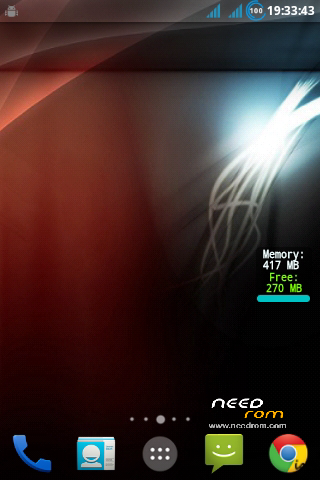
This will Increase all over amount of Ram From 217MB to 417MB
Awesome UI
Optimized System Stability(+1)
Pre-Rooted
Kernel Tweaks
Battery Tweaks
Auto Shutdown Bug Solved
Call Bug Solved
100% Transparent Status Bar
Sound Mod
Ram Optimization
Tweaks(for better Internet speed)
Increased Touch Senstivity(+1)
Audio Mod Added
Bootanimation/Logo Replaced
Audio/Ringtones/Effects Replaced
Googleplay will take time to update this will happen once only
How to Install -
1. Install Drivers Given
2.Unzip Flash Tools/Rom File
3.Open Reasearch Download Tools.exe From Unzippped Folder
4.Click On 1st icon On left
5.Choose "ionmodv2.0.pac" File
6.Click On Play/Start Button
7.Remove Battery From Phone
8.Press And Hold Volume Down And Power Button Untill Process Starts
9.Plug USB cable (Keep Holding Buttons)
10.Put Battery In (Keep Holding Buttons)
11. Flash Will Start (After Start Release Buttons)
12.After 2-3 Min. Flashing will Finish and "Passed" Will appear
13.Pull out and reinsert Battery Start your phone and Enjoy
(Screen shots are also given inside Flashtools.zip)
Donations Are Accepted!
NOTE - DISABLE DRIVER VERIFICATION IF YOU ARE USING 64 BIT VERSION OF WINDOWS
I'm Not Responsible If Somehow You Bricked Your Phone!
※Please make a backup of your device before installing or updating ROM
My phone version is g928 1.0.6 and I got blackscreen. Looks like there is some phones that dont work with this rom.
Yep, no results…Still blackscreen and no power.
Tried to install universal rom for sc6820, on 80% it was like "download size error" and that's all, no pacs are working, no booting, but it keeps saying "Passed" on any pac file.
thank you very mach. my phone alive
succesfully ported on my device..thanks for this great work man.. big credits to you!
I need factory firmware for yxtel g928 1.0.6 Dual sim (android 4.1.1) based mobile. This custom rom also working very fine and I have changed the boot logo image and fast boot logo image at present. Thanks for learning with you and I need tools for creating custom rom for lolipop system image.
There is a keyboard problem suglish and too small can not able to type letters. I can not able to correct it. System apps acupied a lot of space. we can not able to install mxplayer, tunein radio.
Ram creaters only 49 mb and not 200 mb