
- Title: ZOPO 980 & C2
- Listed: June, 2013
- Last modified: 06/30/2013 12:26 am
- Version: Z4 (Classic)JB4.2.2 by Iceman (NO touchwiz)V2
You must be logged for ROM download.
37823 total views, 1 today

 Member Info
DESCRIPTION
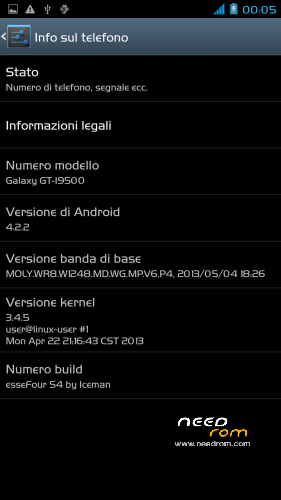
ROM: Z4 (Classic) by Iceman – ROM Android 4.2.2 – V2.
News V.2
-Proximity Sensor Calibration deleted from settings menu–> display (not working)
-deleted the application "CentoApps" and submitted as an application user (easily eliminated)
-6/8/2013 with kernel variants made
-Open default DNS-revised schedule-revised alarm
-clock-redesigned battery percentage scale from 0% to 100%
-13mp camera and 8mp rear opening front-mounted Nova Launcher First (Classic version)
-Phone section-Magazine "Italianizzate" 99% of the voices (excluding applications)
-enriched the ScanSnap quick menu new entries-added Advanced Settings (Menu–settings option > developer–> advanced settings) or from the pull-down menu (quick menu) the new Advanced Settings Menu incorporates more selectable options as required, such as:
1- Lockscreen Changes
2- Statusbar Changes
3- Battery Changes
3- Display impostazioni
6- Volume setting
7- General fixes
8- Activating and manipulating the Navbar (function ACTIVATED at FIRST INSTALLATION – if it concerns the navbar on each reboot to enable the appropriate general setting option)
Advanced menu within each entry but let me highlight:
-the ability to set the color and transparency of the Statusbar, centering on the same clock and set show/hide battery icon
-for lovers of lower resolutions the possibility of activating the NavBar with transparent, change the number of buttons and the action to be assigned to each key; choice of different themes and icons
NOTE: Uncheck quick launch
Apk and Framework: deodex-zipalign – the rom includes the root permissions
Launcher: Nova launcher (NO touchwiz)
Application: full S4, S-Voice
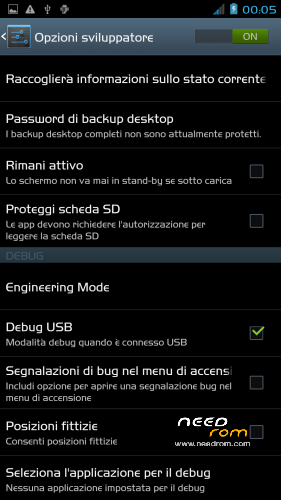
Functions: dual ring, auto-hide, touch key light duration, suspension windows, g-sensor calibration, proximity sensor calibration, engineering mode is accessible directly from developer options
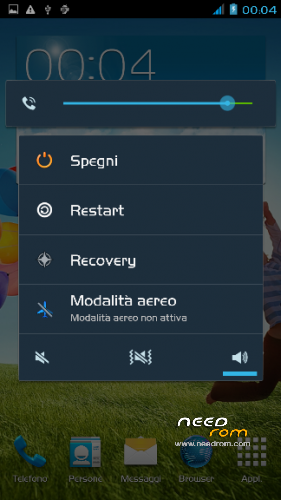
Power-menu: shutdown, restart, recovery, airplane mode
Language support: Multilang
ROM Install:
- unpack file .rar
- install the recovery (cmw or twrp) through mobileuncle
- copy file .zip in sdcard
- reboot into recovery mode (cwm or twrp)
- Perform nr. 2 Wipeall
- install from sdcard
- reboot system
Attention! Only Zopo980 and C2
※Please make a backup of your device before installing or updating ROM
It's for zopo c2 Platinum?
Ok C2 all series…
@Mikeice where are you from?italian?
The c2 Platinum have mtk6589T and not mtk6589…confirm for me if the text on C2 Platinum (processor mtk6589t16GB rom) different to c2 (ROM 4GB and Processor Mtk6589)
Tnx for your work!
Its for A motherboard or B motherboard ?
I don't understand the question
No. only difference in launcher: Normal with touchwiz. Classic with Nova launcher
For A and B version…
Amazing work.Thanks men..!!!
Thank you…
Thank you for this ROM.
Thank you for having liked. I'll wait. Hello…
Thank you for having liked. I'll wait. Hello.
Guys, will this ROM help with the ghost touch issues of the C2?
Дебилы! какая разница какой версии мать ?!!! ставиться ведь через рекавери!
I don't speak Russian!
sorry, this is not for you this for javieron
No problem… проща́ние
Many icon names and other text stays in Italian, even after you change the language.
Does not resolve the touch ghosting issue.
The GPS does not work.
The interface looks nice though.
I did not test anything else as I moved back to my old ROM, but nice try mikeice.
I am sorry. Nobody has seen these problems.
Thanks the same for appreciated.