
- Title: Zopo C2 / P980
- Listed: April, 2014
- Last modified: 04/13/2014 3:21 pm
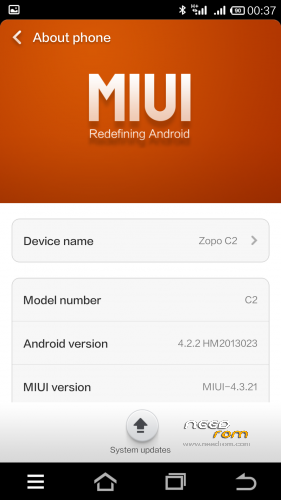
- Version: Android 4.2.2 MIUI Stable 13.0
You must be logged for ROM download.
40494 total views, 5 today
 Member Info
DESCRIPTION
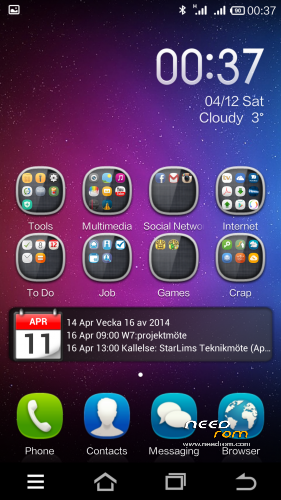
This MIUI is ported from Xiaomis dual sim phone Hongmi/RedMI.
which means that this miui have native dual sim support
It is version 13.0 and it is extremly stable and fast.
It works on all C2 models and P980
Everything works
I have 3 versions now
Light version dosent have Xiaomi online service and other apps as wallpapers compass transfer.. etc. English and Chinese only
Full version has everything that belongs to MIUI. English and Chinese only
Multilanguage Version has everything that belongs to MIUI and these languages:
- English Chinese Polish Russian Ukrainian Slovak Czech French Hungarian Danish Dutch German Greek Spanish Italian Arabic Norwegian Hebrew Vietnamese Korean Indonesian Brazilian/Portuguese Turkish Thai Bulgarian Finnish Portuguese Romanian
No Gaps / Google Play Preinstalled
It is the orginial MIUI theme and setting
Download MIUI GAPPS here
http://media.celogeek.com/roms/android/miui/gapps/miuiandroid_gapps-4.2.2-small_signed-8012.zip
DO NOT FLASH ROM + GAPPS at the same time!
Install ROM :
CWM/TWRP
Step 1: Download the custom ROM copied to an external SD card root directory
Step 2: the shutdown state. While holding down:
– Power button + volume button up, to enter the recovery mode. (With USB cabel inserted to computer)
– Wipe Data / Factory Reset -> delete all user data
– Wipe Cache Partition -> Wipe cache
Step 3: Return to recovery main interface Install zip from sdcard -> choose zip from sdcard -> Select your ROM
Step 4: Flash complete, restart the phone Patience required – first boot takes a while
For Installing GAPPS
Step 1. Copy the Gapps zip file to sdcard
Step 2: the shutdown state. While holding down:
– Power button + volume button up, to enter the recovery mode. (With USB cabel inserted to computer)
Step 3. Start the miui application called updater and press menu and choose reboot to recovery
Step 4. choose zip from sdcard -> Select the gapps zip file
Step 4: Flash complete and reboot
Have a Nice Day 
If You like my rom please donate anything and Will keep updating the roms and upload new ones /Elias
※Please make a backup of your device before installing or updating ROM
thanks alot for making this rom! love it!
issues that i have:
- using too muh RAM. on usual use my RAM only have 100Mb – keyboard/apps auto close due to low ram
- losimg network while on 3G and need to restart to resolve the problem.
any solution for this?
and i really hope there will be update for this rom soon..
Thanks!!!
good work zp980 1\16.. but ram 200mb free ))
hello, i am planning to install this ROM replacing the original ZP980 (my model is 2G+32G). I dont have root on my actual device, so, what is the common procedure to install this ROM ? Also, the button combination does not work in my case ? How to evolue on that ?
With framaroot.apk from xda-developers
Great and smooth rom. Any chance getting Dirac to work soon?
QUERTY KEY BOARD MISSING
Can any one have a C2 platinum 16gb stock rom. Not zp 980.
Is this rom V5?
is it the latest rom?
This is really smooth and stable! Thank you for your work!!!
does anyone have problem with gps when using this rom? love this rom in my zopo.
Sir, I cannot change Acces point name.
Can you help me.? Thanks.