
- Title: ZOPO Official Kitkat Upgrade…
- Listed: July, 2014
- Last modified: 07/05/2014 2:00 pm
- Version: Kitkat 4.4
You must be logged for ROM download.
32413 total views, 4 today
2 Total favorites
OFFICIAL

 Member Info
DESCRIPTION
LIKE my Page on FB and Follow my latest work 
Twitter: @yourSKD
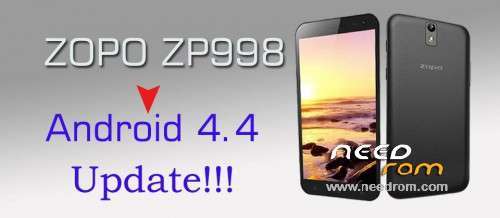
Note : – This is not my work , I found this Rom .., and its official Update for Zopo ZP998 launched 5 minutes ago by ZOPO Officials.
※Please make a backup of your device before installing or updating ROM
how to root?
Use VRoot, it works well and updates itself when updates are available.
don't use vroot unless you want a virus on your pc I did a boot time scan after useing it and had eight files infected.
gesture sensing not working!!!! what can i do???
Installed this update ROM yesterday and so far so good!
My GPS is better than before that's for sure! MobileUncle picked up 10 satellites within 3 seconds of activating. With the older v4.2.2 it would take up to 30 seconds or more and only pickup about 5-6 satellites at best.
Sound issues seem to be resolved also.
AnTuTu Score dropped a little bit though… 26313
Overall fairly pleased with this KitKat for the Zopo ZP998.
I used the update process via the SP Flash Tool v5.1348.00 and then did a system reset THREE times in a row and it's working very well. I learned the trick with the system reset when I had an ASUS 10" tablet. For some reason, doing the reset three times in a row cleans things up better and makes a more stable update. WHY? I don't know… but it works!
Hello,
Is it possible to have a recovery installable ZIP format instead of a flashable image to be flashed with Flash tool? This would be easier for many who could not install VCOM driver under 64-bit Windows OS.
This update almost bricked my phone. Lost imei. Good thing i had backed it up via mobile uncle tools. Format and download 4.2.2 android. Turn on supersu. Then restore imei via mobile uncle tools. Gosh. That’s a mission mate.
This KK Rom is terrible,not for use.
I have done everything right, still it does not work well, it started that my insurance is not produced by earlier via Titanium backup again konnte.With Imei something had frustrations .After this etc 4.2.2 flashed back but without success. So again flashed this Kitkat, roted and wia custom recovery Marsapa Rom Kitkat flashed and see it all works also have no problems with Imei.
Sorry for bad English .
After upgrade maybe others have problems that had secured no Imei. So I had, at first I thought the KitKat would be solved but it was partially. When I had installed Miui 5 was back inwalid Imei. So I've searched and found by the solution on the internet, here is the link. Kitkat I did not like both original both custom.'s How I re-installed Miui 5 and Imei is ok so I can use MiCloud again
Anyone else has the wifi problem? After a couple of hours wifi seems conected but has no conection. I have to disable/enable wifi for it to work again…