
- Title: ZOPO ZP999/3X Galaxy Style Firmware
- Listed: August, 2015
- Last modified: 08/18/2015 12:58 pm
- Version: 4.4
You must be logged for ROM download.
14488 total views, 1 today
3 Total favorites
 Member Info
DESCRIPTION
http://global.zopomobile.com/forum/viewtopic.php?f=5&t=6264
Based on the ZP999 latest firmware
DESCRIPTION:
Rights root 100%;
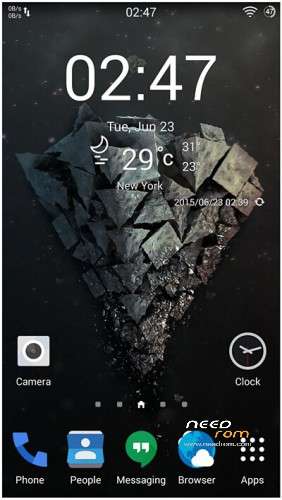
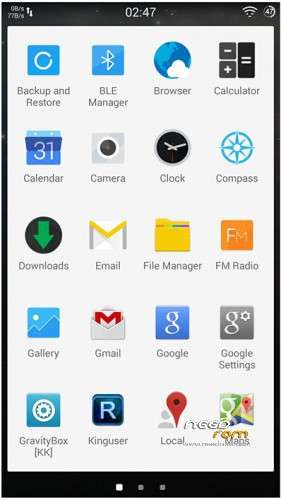
Galaxy launcher;
Added Xposed framework;
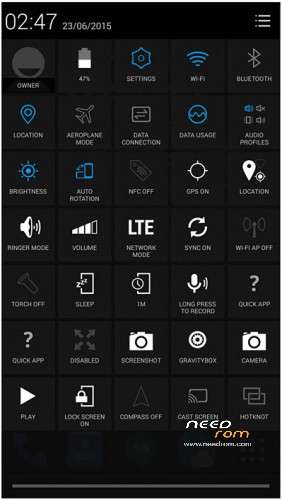
Added Gravitybox;
Added New Weather Plugin;
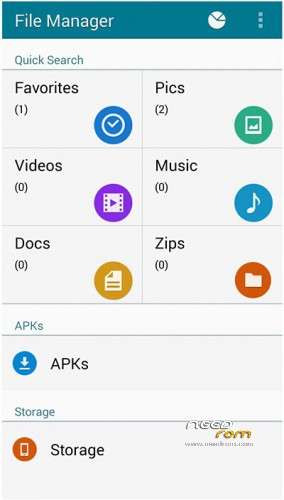
New File Manager;
New Calculator;
New Default Wallpaper;
New compass;
New Bootanimation;
Gapps KK 4.4.4;
Remove unwanted applications
Install ROM :
- Unpack FlashTools, and Click on Flash_tool.exe
- Select a the MT6595_Android_scatter.txt in ROM
- Wait file to be added into Flash Tool
- choose Option->USB Model,click USB Model
–> Choose Option->DA DownLoad All->Speed->High Speed, click High Speed
- Turn off your phone, remove the battery and replace it after some seconds (and don't turn on the phone).
- "Press F9 (hit Download button)" OR " if upgrade ROM Firmware->Upgrade "
- and connect your phone into the computer via USB data cable.
- The process will start and a red progress bar will appear after color purple, yellow.
- And green circles display
- Finish !
- You can now safely disconnect your phone and turn it on.
※Please make a backup of your device before installing or updating ROM
Thanks for upload
It seems that it is based on 2015 January Rom not the last one ? (files are dated 2015-01-16)
Maybe one day Zopo will make a 4.4.4 ROM or Lollipop ROM for this phone. Bad Zopo company for updates !
I install this ROM
INstallation ok
But i cannot have this screen. I have the standard Zopo Settings Screen. How can we have this one ?
Hi
when I try to flash with flash tool I have an error: "The internal SRAM has the problem that leads to 16 bits checksum error!" is there any kind of walk around?
cheers
Dominique