
- Title: ZP950 MIUI 4.2.2
- Listed: December, 2013
- Last modified: 12/07/2013 3:10 am
- Version: MIUI v5 – 3.11.29
You must be logged for ROM download.
17412 total views, 2 today
1 Total favorites
 Member Info
DESCRIPTION
[Phone]
Fix – When user was answering call, the status of the upper Status bar was irregular
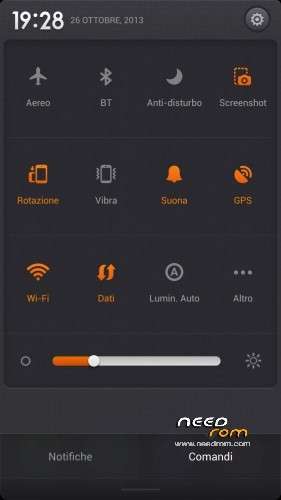
[Locks screen, Status bar, and Notification shade]
Optimization – The push icon displays pushed apps' icons
[Home screen]
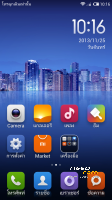
Optimization – Improved Gaussian blur effect for 1080p devices
[Browser]
Optimization – When a page is added to the Useful tab, the corresponding shortcut square's background is the same color as the page's (11-27)
[Music]
Optimization – MiSound prompt added
Fix – Sometimes playing default video would cause FC
[Downloads]
Fix – Sometimes changing the system language would cause app to FC
[Gallery]
New – Cloud images can be played as slide show
New – User can share cloud images using third-party apps
Optimization – Faster loading time for start page and local images page
Optimization – Screen saver settings moved to system settings
Fix – When Gallery was open, the bar along the bottom of the screen would flicker
Fix – Sometimes an error would cause cloud images to increase to over 1000
Fix – When user closed cloud album, cloud album images would still be displayed as screen saver
Fix – The on the local storage page, the phone's internal storage and external SD card were being displayed with the same name
[Themes]
Fix – Themes with incompatible components cannot be applied
[Video]
Optimization – Improved display for details page when viewing with lager system font sizes
Optimization – When DLNA devices are found, they are displayed in the same directory
Fix – Sometimes, when coming from the player interface, the details page would FC
Fix – When system was set to English, some menu titles were still displayed in Chinese
Fix – When user tapped search button, two loading animations would appear
Fix – Sometimes app would FC in list view
[Weather]
New – Weather data for cities out side of China added
New – Inclement weather warning feature
New – Trends data now includes weather data from the previous day
Optimization – Improved weather animation for clouds at night
Optimization – User can swipe between pages
Fix – Some themes couldn't get weather data
[Security Center]
Optimization – Increased efficiency for virus scans using cloud definitions
Fix – After virus scan, app names and icons weren't displaying properly in virus detail list
Fix – When system language was set to English, part of the Power settings interface was still in Chinese
Fix – When cleaning up trash, checking for large install packages would cause FC
Fix – Sometimes in Permissions, when user was looking at logs, app would FC
Fix – Sometimes during "Clean up" process app would FC
Fix – Sometimes the number of items cleaned up would display "-1"
Fix – Sometimes changing configurations in Power settings would also enable vibrate
Fix – When using a custom power configuration, notification sound on touch feature didn't work
Fix – Sometimes in the auto-clean configuration for cache, the "Never" setting didn't work
Fix – Sometimes power configuration would continuously change back and forth between Sleep and Default
Install ROM :
CWM
Step 1: Download the custom ROM copied to an external SD card root directory
Step 2: the shutdown state. While holding down:
– Power button + volume button up, to enter the recovery mode.
– Wipe Data / Factory Reset -> delete all user data
– Wipe Cache Partition -> Wipe cache
Step 3: Return to recovery main interface Install zip from sdcard -> choose zip from sdcard -> Select your ROM
Step 4: Brush complete, restart the phone Patience required – first boot takes a while
※Please make a backup of your device before installing or updating ROM
Hi, speak Italian?
Work?
HAO,HENHAO ,FEICHANGHAO,