
- Title: ZTE U807
- Listed: April, 2013
- Last modified: 04/04/2013 8:29 pm
- Version: ROM Android 4.0.4
You must be logged for ROM download.
13649 total views, 1 today
 Member Info
DESCRIPTION
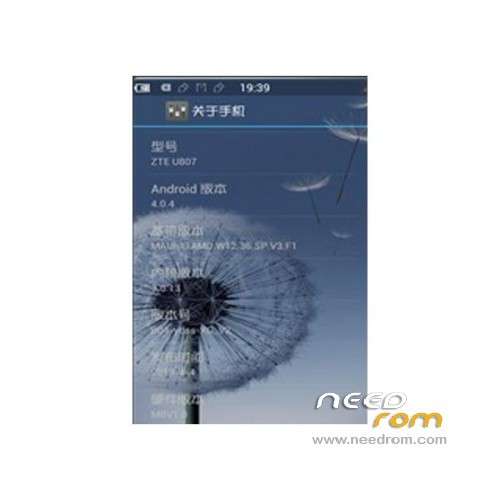
ROM Mobile ZTE U807 – ROM Android 4.0.4
Model name:u807
Andrews version:4.0
ROM Author:Xiao Guo
Based on the official version:B04
Reference other authors:Mumu
Features ROM:
01 streamlined and extremely smooth running faster
02 transparent global and beautification
03 Province electricity and large memory
04, joined apex set
05, SuperCharger V6 script , by adjusting the own task management mechanism to optimize memory;
06, the boot animation Colorful Andrews robot animation, small and streamlined,
07, brushing machine permanent ROOT, suitable for the novice;
08, RE Manager comes with enhanced ;
09, after the restart of the official desktop icon to run around the problem to solve;
10 to accelerate the speed for gaming;
11, volume keys wake up the screen, release your the power button;
12, aesthetic wallpaper and added a nice ring;
13, joining restart, Brush mode, shutdown software
14, quite full of patches, personalized your phone;
15, Consolidation System odex file
16, the zipalign optimize all apk program
17, to add the the busybox instruction set
18 fast map browsing replace Gallery, accelerate the speed of Figure
Language support: EN/CN
Install ROM :
Step 1. download above the Brush tool, Recovery package, ROOT package, it is best placed in the root directory of a hard disk partition, such as D disk;
Step 2 solution to compression SP_Flash_Tool_exe_v3.1224.01 and recovery single brush package folder to the D drive;
Step 3. open D: SP_Flash_Tool_exe_v3.1224.01 directory the run which Flash_tool program;
Step 4. button click Scatter-loading;
Step 5. find the Recovery folder unzipped in Step 2;
Step 6. selected the Recovery directory MT6575_Android_scatter_emmc.txt file click "Open" button;
Step 7. unable to load PRELOADER error pops up, ignore it, directly point OK;
Step 8. Click the Download button, there will be a warning dialog box, click "Yes" button;
Step 9. phone pulled out the battery, SIM card, TF card, press and hold the volume + key , the phone connected to the computer with the data cable . The conditional oil try to plug the data cable in the USB socket on the back of the computer motherboard integrated directly;
Step 10. patiently waiting for the progress bar appears, this process may take five minutes. First, there will be a red progress bar, and then there will be a yellow progress bar; note first brush after the finish of the red progress bar will install the driver prompted, repeat operation to install the driver. Brush may be unable to carry on will automatically stop. Brush machine operation can be re-repeat.
Step 11. Prompted by the green circle, indicating Recovery has successfully brush into the phone….
※Please make a backup of your device before installing or updating ROM