
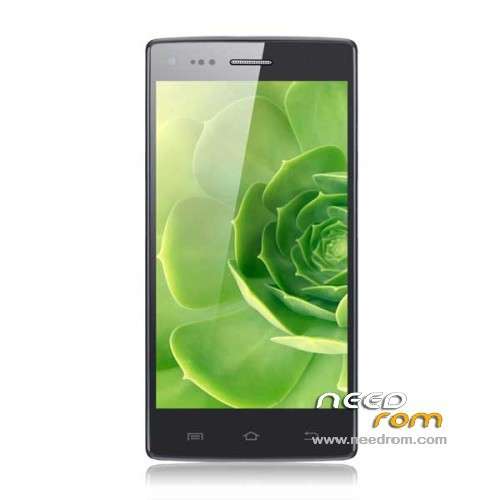
- Title: THL W11 JB
- Listed: September, 2013
- Last modified: 11/26/2013 3:53 pm
- Version: ROM Android 4.2.1
You must be logged for ROM download.
25953 total views, 2 today
6 Total favorites
 Member Info
DESCRIPTION
ROM THL W11 – ROM Android 4.2.1
Update ROM 2 – 16p256 – Version Official THL W11: ThL_W11.130917.JB42.V12.FHD.EN.COM.16P256_6589T.OV12830
—————————————————————————————————————————————————–
ROM no LeWa but JB – For 8p128 ( ROM 1 – 1GB Ram + 16GB Rom ) and 16p256 ( ROM 2 – 2GB Ram + 32GB Rom For normally version B and C " i've not more details sorry"
to be careful, install with OTA if ROM not install it's not good version and not install with Flashtools.)
ROM 1 – 8p128 – Version Official THL W11: ThL_W11.130814.JB42.V12.FHD.EN.COM.8P128_6589T.OV12830
ROM 2 – 16p256 – Version Official THL W11: ThL_W11.130806.JB42.V12.FHD.EN.COM.16P256_6589T.OV12830
in ROM 2 you've with OTA package in more
Gapps include – No Rooted
Language support: Multilang
Install ROM:
- Unpack FlashTools, and Click on Flash_tool.exe
- Select a the MT6589_Android_scatter_emmc.txt in ROM
- Wait file to be added into Flash Tool
- choose Option->USB Model,click USB Model
–> Choose Option->DA DownLoad All->Speed->High Speed, click High Speed
- Turn off your phone, remove the battery.
- "Press F9 (hit Download button)" OR " if upgrade ROM Firmware->Upgrade "
- and connect your phone into the computer via USB data cable.
- The process will start and a red progress bar will appear after color purple, yellow.
- And green circles display
- Finish !
- You can now safely disconnect your phone and turn it on.
※Please make a backup of your device before installing or updating ROM
What is the version for B version of THL W11 or the 2 versions is compatible ?
Thanks
in description look color RED
If I understood, for version B and C I have that flashed the ROM with OTA not with FlashTools ?
Thanks
yep for sure that you're the version compatible
So, How I can use the rom with OTA ?
I extract the zip, but doesn't have any instruction.
Thanks
I update for the Flashtools.
Now, I have a problem, my EMEI IS NOT CORRECT.
So, Can I help me ?
Thanks
After broken a brain with many procedures I found the solution for IMEI INVALID
https://www.youtube.com/watch?.....v=xgshKAlhXCo
How do you install the OTA package?
remove battery?
I downloaded and used this firmware successfully. Battery removal not required. Also glad that it contains gapps out of the box
Can i install this rom with a cmw recovery?
What is the latest version? With ota o 09/27/2013?