
- Title: Ascend P7 EMUI 3.0
- Listed: January, 2015
- Last modified: 01/16/2015 4:03 pm
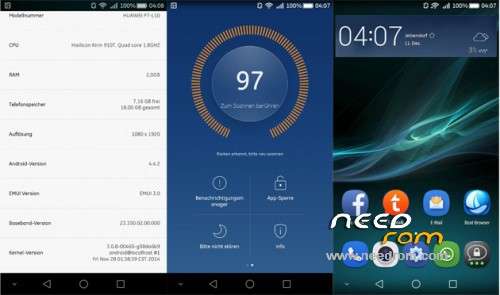
- Version: Android 4.4.2 EMUI 3.0
You must be logged for ROM download.
24355 total views, 1 today
7 Total favorites
 Member Info
DESCRIPTION
Oryginal stock rom for Huawei P7-L10 with new EMUI 3.0!
In this installation you still have your phone warranty!
ROM install :
1. You need to have installed HiSuite.
2. Open it, and plug P7 to computer (choose PC Suite on phone).
3. HiSuite will find the phone.
4. Then you need to click on EMUI ROM in application and choose LOADING ROM.
5. Choose B609.zip and wait for loading.
6. After it, you can make backup of all data on phone.
7. If you make it/or not rom will be installing to phone.
8. When it's done, phone will restart several times, wait to config screen. If you choose backup in point 6 don't do anything on it! If not, you have full working rom with EMUI 3.0
9. Now you can restore data from HiSuite from START menu.
10. Choose BACKUP->RESTORE, pick last backup file that you made and you can start it.
11. Some files can don't restore on phone, but it's normal.
12. After it, disconnect phone from PC, it's IMPORTANT!
13. You have full worked Huawei P7-L10 witch EMUI 3.0 and all data!
※Please make a backup of your device before installing or updating ROM
Installed today … i will do a feedback later
I have the P7 L10 B133SP01 on my phone now. Can i use your rom directly or i must have some other version?
You can try. If something go wrong you can restore your 2.3 EMUI from HiSuite.
i have b155 currently, can i use b609 directly?
thank you
It's original HUAWEI rom for Ascend P7 L10, it should work on ANY version.
link click oops paga not found……need link
Link is good, please try again.
دوستانی که اخرین ورن p7L10لینک مستقیم دارن برام برارن
سلام رام در موب وان قرار گرفت
http://mobone.ir
Is it a multi-lingual
The easiest way to install this:
1- download botth Oryginal stock rom for Huawei P7-L10 annd the new EMUI 3.0 Files.
2- copy both in SD Card in folder "dload"- craete it if youd don't have it in SD.
3- go to setting/manuial update and choose the Oryginal stock rom and hit update.
4- do the same for the new EMUI 3.0 (after your phone restarted)
enjoyyyyy
Sorry, I was writting this as quick as some spelling erros found (".
It is a multi-lingual .. it is perfect update. your phone warranty will not be cancelled.
Sudani O' Aftakhir~