
- Title: HUAWEI G525-U00
- Listed: November, 2014
- Last modified: 11/11/2014 3:36 pm
- Version: Andriod Kitkat 4.4.4
You must be logged for ROM download.
39352 total views, 1 today
34 Total favorites

 Member Info
DESCRIPTION
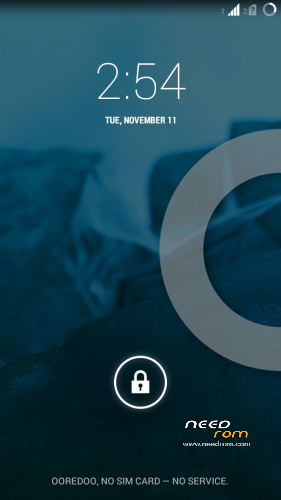
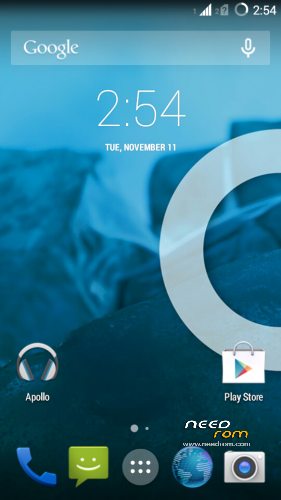
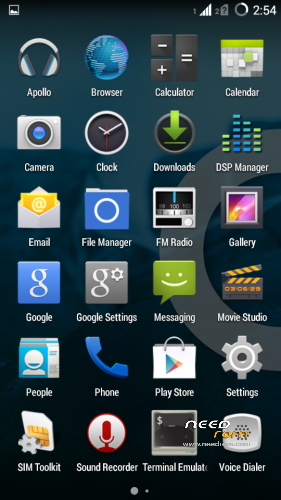
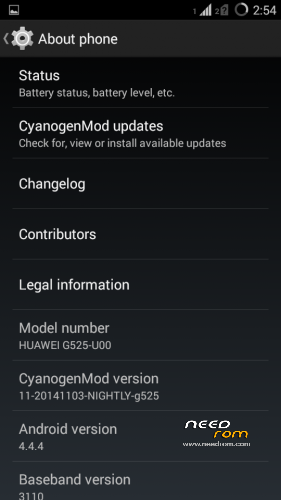
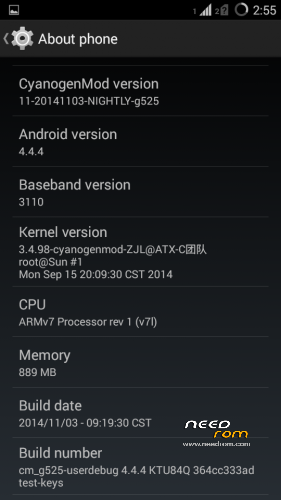
CyanogenMod 11 for Huawei Ascend G525-U00
ROM Version: Andriod Kitkat 4.4.4
CyanogenMod Version: 11-20141103-NIGHTLY-g525
Build Number: cm_g525-userdebug 4.4.4KTU84Q 364cc333ad test-keys
Language Support: Multilang
Google Apps Included
Before You Begin:
1.Make sure that you Unlock the Device Bootloader.
2.Install the Above Custom Recovery.
3.Backup Your Data.
Installation:
1.Place ROM zip on the root directory of INTERNAL MEMORY SDCARD0
2.Power off the Device
3.Power ON the Device by pressing VOLUME UP key simultaneously
TO get in the Recovery Mode.
4.In the Recovery Mode Choose English as Language.
5.Use VOL UP,VOL DOWN to Navigate and POWER Button to Click OK.
6.First off all, Click Wipe data/factory reset AND Wipe cache partition.
7.Then navigate to Install Zip and choose zip /storage/sdcard0
8.Click POWER Button to Proceed.
9.Wait for the Installation Process to Complete.
※Please make a backup of your device before installing or updating ROM
WoOoOoOoOoOoOoOoOoOoOoOoOoOoOoOoOoOoOoOoOoOoW
Thank's NIGHTLY (Like)
que tal la rom??? tengo mi g525 demasiado mal… soy de latinoamerica y me cuenta mucho conseguir actualizaciones aqui
how can i unlock the bootloader?
you need to send a short email to mobile@huawei.com which includes your device's serial number which you can find under your device's battery
Dear sir/madam,
I tried applying for a bootloader unlock code at unlock url which I cannot post because of XDA forum restricting me, but my device (Ascend G525) was not listed. I supply the data via this mail in the hope to get a bootloader unlock code via this way instead.
Product Model: Huawei Ascend G525
SN: ****************
IMEI: ****************
ProductID: ****************
I hope to hear from you soon
Yours sincerely,
*************
and you get a reply. Others get the reply for about minutes, but others get it after days or weeks. Just be patient.
after getting your bootloader code… you need to download the adb development kit which you can find if you search google the name…
after downloading it you need to extract it to where you want to extract it, but for it to be much easier to use, its better to extract it at the root directory or at "C:" directory…
after extracting the files, you need to the platform-tools folder, cut everything and put it under the tools folder for easier use…
if it asks to replace the files, then replace them, their the same anyways…
after moving the files, open the tools folder and then shift – right-click on the open white area, select open command prompt here.
then back to your device, open your settings to developer options and turn it on, then turn usb debugging on.
connect your device to your computer … check your my computer for mobile partner … and install the adb drivers inside of it
after that turn off your device and take the battery off for ten seconds, then replace it on the device…
after that, go to fastboot mode… [to do this, you need to hold the volume down + power button]
if your device gets stuck on the huawei ascend logo, then you're in fastboot mode..
connect your device to the computer via usb
then go back to command prompt,[the one you opened earlier.] and enter these commands:
fastboot devices [if your devices serial number is showed, it means your connected to your computer as a fastboot device]
fastboot oem unlock "unlockcode" [you enter your bootloader code in the "unlockcode"]
that's it, voila, you've successfully unlocked your bootloader!
oh yeah the sdk i installed was eclipse, so you might want to download that one.
http://en.club.vmall.com/emoti.....#038;action=pre
Great…
Thank you my god
how can i unlock the bootloader??? video tutorial please
Unlock any Huawei Phone Bootloader
https://www.youtube.com/watch?.....v=-bO-NeQBGss
wifi works correctly? not have any major bug?
Well, Its Just NIGHTLY Build (Beta Build) Cant say Anything About it.
Wifi Actually Works in this Particular Build So there is No BUG!!!!!!!
USE AT YOUR OWN RISK!!!!!
tnx
Installed today. This is what I waited for. No doubt so far the best I have seen for this device. Straight forward, rock solid CM11.
please port cm12 for g525-u00….
@fowzan: after a week of testing I can only say, this is excellent! Everything working without issues so far. Thanks a lot.
@roacenter: very unlikely you will get a stable cm12 for this phone anytime soon. Much better to have a stable KK instead of a faulty L.
i dont know what to say !
it is awesome !
if you doubt to install it or not ! don't . that's awesome )))))))
thank u fowzan