
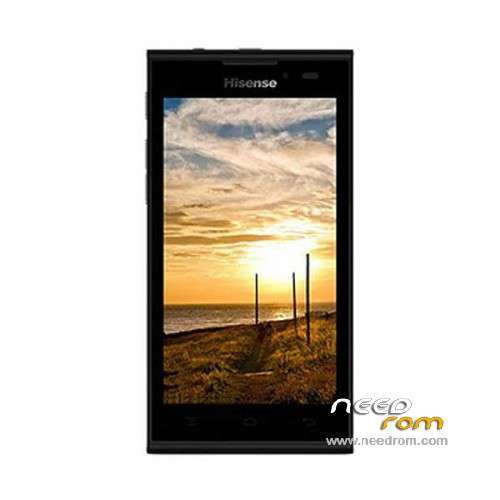
- Title: Hisense U939
- Listed: February, 2014
- Last modified: 02/13/2016 1:46 am
- Version: ROM Android 4.2.2
You must be logged for ROM download.
58090 total views, 1 today
34 Total favorites
 Member Info
DESCRIPTION
ROM Mobile Hisense U939 – ROM Android 4.2.2
ROM 2 – Official ROM Hisense U939 Version: HS-U939_W864.6.07.01.ZA00 – u939e_4-user 4.2.2 JDQ39
Gapps include – No Rooted
Language support : en_US,nl_NL,es_ES,zh_CN,it_IT,fr_FR,de_DE,pt_PT
Install ROM :
- Unpack FlashTools, and Click on Flash_tool.exe
- Select "scatter-Loading" and search MT6572_Android_scatter.txt in ROM
- Wait file to be added into Flash Tool
- Select "Download Only" or if upgrade "Firmware upgrade"
- Turn off your phone, remove the battery (if the battery is removable) and replace it after some seconds (and don't turn on the phone).
- Press “Download” button to start
- and connect your phone into the computer via USB data cable.
- The process will start and a red progress bar will appear after color purple, yellow.
- And green circles display
- Finish !
- You can now safely disconnect your phone and turn it on.
————————————————————————————————————————————————–
ROM 1 – Official ROM Hisense U939 Version: U939_20130723_W864.6.02.02.00-T
No Rooted
Language support : EN/CN
Install ROM :
1 Prepare a TF card ( capacity TF card must be less than or equal to 2G) , first card formatted in FAT format TF
2 unzip the downloaded rom brush , which will be copied to the folder U939 root directory of TF card package
3 confirmed that the battery is greater than 50 %, if the battery is low, please charged
4 TF card into the phone , the battery in the phone. The preparatory work is completed.
1 the phone is off, hold the "Volume + + + VOLUME DOWN button power button" three keys , phone mode upgrade to begin the upgrade .
2 Brush word "OK" after the success
3 simply remove the battery
4 then connect the phone battery , press the power button on the phone to boot. After starting in the phones menu "Settings" – Save and Reset – restore factory settings – Reset phone – all clear content .
5 the phone will automatically restart and recover the state of the factory, the screen saver .
6 success!
※Please make a backup of your device before installing or updating ROM
is the another as its not working just says tf card check waiting then nothing
not tested yet. i tried but nothing to display
rom not weking …..
did u manage to find a rom,if yes please send me a link shaneklaassens@gmail.com
im going nuts my fone is softbrick
flippin mad,must i extract the file completely till the u939.bin file or nust leave in .zip i am also just getting tf card waiting
a response would be nce,
has this worked for anybody?
this does not work i tried everything
IT DOESNT WORK
crap
Up! hoping this will work. Thank you for this. ^_^
This is jus not wekin
flash it with flash tool it worked for me