
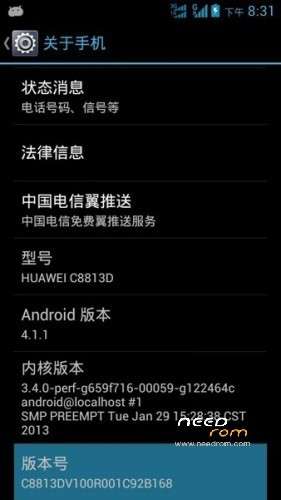
- Title: HUAWEI C8813D
- Listed: March, 2013
- Last modified: 07/15/2014 6:24 pm
- Version: ROM Android 4.1.1
You must be logged for ROM download.
25457 total views, 1 today
1 Total favorites



 Member Info
DESCRIPTION
ROM HUAWEI C8813D – ROM Android 4.1.1
Update Official ROM HUAWEI C8813D version : C8813D_EMUI_2.0_V100R001C92B801
————————————————————————————————————————————————-
Update Official ROM HUAWEI C8813D version : C8813D_Emotion_UI_1.0_V100R001C92B173
Combined into Google patch to increase the stability of cell phone
Optimize the phone memory
Fix send MMS, preview of graphics issues
Repair startup probabilistic black and white issue
Repair MeWidget Performance Optimization
Add Mewidget repair to the desktop, the desktop slide Caton problem
Fix unread SMS, below icons without prompting
Language support: Multi lang
ROM install :
Step one: Prepare an SD card, it is recommended to use Sandisk, Kingstone, or Kingmax, size is recommended that more than 1G.
Step Two: Formatting SD card (optional).
The step three: copy a large package path UPDATA.APP to the SD card dload UPDATA.APP.
Step four: Check the root directory of the SD card you dload UPDATA.APP.
Step 5: SD card into the phone is switched on in the main screen, press the Menu key, the system updates -> SD card upgrade -> confirm -> upgrade, backup data, select the backup data; upgrade.
Step Six: The upgrade process progress bar shows after the finish of the pending progress bar, the phone automatically restart.
or
Step one: Prepare an SD card, it is recommended to use Sandisk, Kingstone, or Kingmax, size is recommended that more than 1G.
Step Two: Formatting SD card (optional).
The step three: copy a large package path UPDATA.APP to the SD card dload UPDATA.APP.
Step four: Check the root directory of the SD card you dload UPDATA.APP.
Step Four: cell phone turned off, insert the SD card, while pressing the volume up button + volume down key switch button, the phone automatically enters the upgrade mode, and then begin the upgrade in Figure
Step Five: After the progress bar to go full fixed, the phone will automatically restart If you do not manually remove the battery.
※Please make a backup of your device before installing or updating ROM
THANKS
Thank
thanks
why I don't get complete?
thank you
cool
Thank YOu
Thanks alot!
thanks
Thank You
Thanks