
- Title: Marsapa rom
- Listed: December, 2014
- Last modified: 12/05/2014 2:09 pm
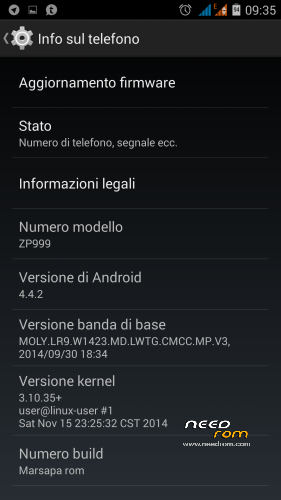
- Version: 4.4.2
You must be logged for ROM download.
18820 total views, 1 today
6 Total favorites
 Member Info
DESCRIPTION
Let's start with this new phone that is making us spit blood.
As you know mediatek with the new soc changed all the management, approaching Qualcomm, in fact there is now only one partition that contains everything, the problem is that the recovery is recompiled in a new format, still unknown and this has not still managed to make a compatible.
But I managed to work around the problem, except that you can not do on the root stock firmware, I unpacked the system, modified to my liking, and using special scripts I closed everything, getting a new system.img that you can sp flash with flash tool, so the first Marsapa rom for this / models, is installed as the stock firmware, namely via sp flash tool, careful to do it you have to use the version that I put in the archive, is again made for the soc 6595.
Before flashing installed drives needed, unless you already have them, the old ones are fine, but for those who do not have them in the archive you download you will find the drive.
V1, based on the stock of 11.15.2014
changelog:
full deodex;
Zipalign;
support init.d;
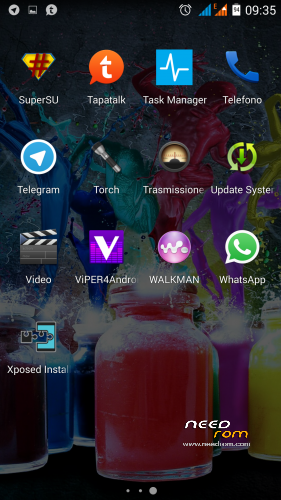
root with supersu;
Xposed framework;
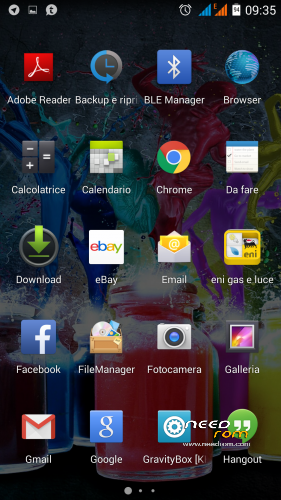
Gravitybox mt6595;
Sony walkamn;
viper4androidfx;
tapatalk;
AOSP theme;
removed file system;
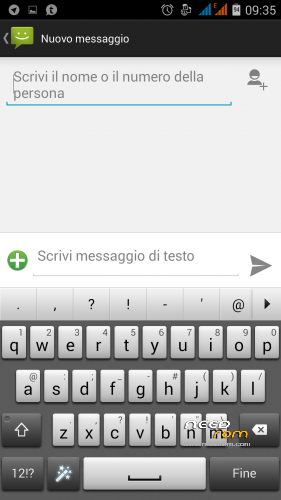
xperia keyboard;
ringtones Samsung s5;
New default wallpaper;
Custom logo;
bootanimation Android Lollipop
※Please make a backup of your device before installing or updating ROM
I thank you very much for this rom, I will use this rom cause it has everything I was looking for. a great phone. I have only one doubt not having backup, even recovery, how do I save a copy to restore, hoping to never need?
thanks again for your work
al momento non è possibile, dovrai rimettere il firmware stock, ma vai tranquillo non avrai problemi
…and is Mobile Uncle Tools working with your ROM ? Because with official ZOPO ROM, it does not work (especially because no root)
has changed a little of everything with the soc 6595, probabilemnte not work all the functions, will update the app
operation performed, all the first (after setting sp flash tools), this new sptools' more user friendly, when it seems that everything works. mtk tools installed and confirms the root …
for the record, before with the stock rom AnTuTu score was 46.600 and 'to 44300, but it' s just the beginning I think ..
thanks again marsapa, now is the perfect
AnTuTu leaves the time it is, changes little, I get to 45k
Thanks for this rom. Flash with or without preloader?
With earlier MTK socs, phones often brick with flashing
preloader. Box had to uncheck then.
flash all, nothing happens, is his stock
Grazie Marsapa, sembra proprio un bel lavoro… le ho provate tutte per il root del cell e non ci sono riuscito…. unica cosa… poi posso tornare al software originale? penso che basti flashare la versione che si trova su need rom… quella stock… o mi sbaglio ???
l'altro giorno la ho dovuta usare dopo i miei tentativi di root fallimentari… Mi si era bloccato il cell…..
Grazie Marsapa, SEMBRA UN proprio lavoro bel … le ho provate Tutte per il radice del cellulare e non ci Sono riuscito …. unica cosa … poi Posso Tornare al software originale? Penso Che basti flashare version Che si TROVA su bisogno rom … Quella stock … o mi sbaglio ???
l'altro giorno ho la dovuta noiSei DOPO i miei Tentativi di radice fallimentari … si era bloccato Mi cellulare il …..
Ma secondo te MArsapa, si riesce a mettere una miui rom su questo magnifico cell? dove posso trovare delle linee guida per farlo?
this procedure is correct for flash this rom?
Install ROM:
- Unpack FlashTools, and Click on Flash_tool.exe
- Select a the MT6595_Android_scatter.txt in ROM
- Wait file to be added into Flash Tool
- choose Option->USB Model,click USB Model
–> Choose Option->DA DownLoad All->Speed->High Speed, click High Speed
- Turn off your phone, remove the battery.
- "Press F9 (hit Download button)" OR " if upgrade ROM Firmware->Upgrade "
- and connect your phone into the computer via USB data cable.
- The process will start and a red progress bar will appear after color purple, yellow.
- And green circles display
- Finish !
dear thor81,
you can find the correct procedure in zopomobile forums….
bye Mirko