DESCRIPTION
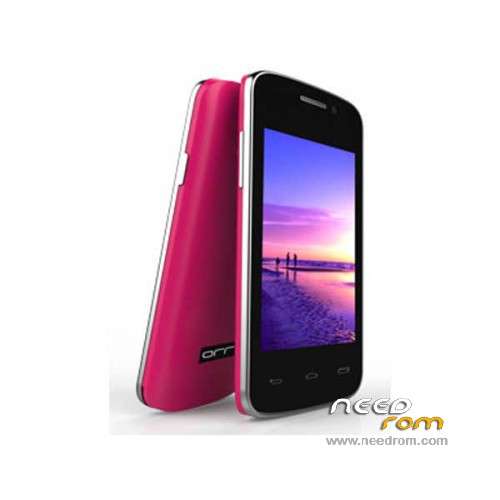
ROM Phone Orro G3i - ROM Android 2.3.5
Update Official ROM Orro G3i SC6820 Version: S80v13_dhd_d06_orro_HL7796S_FT6206_256M_v01
This ROM is compatible with New screen: HL7796S
| Release Note |
SelectShow |
************************************************** *******************************
[Software Version] S80v13_dhd_d06_orro_HL7796S_FT6206_256M_v01
[Date] 2015-6-9
[Software applications] production software
[Baseband model] SP6820
[System Version] MocorDroid2.3.5_W12.20_P20.01_PS8
[Hardware Version] V1.0
[Project Name] D03
[Dual-band multi-frequency]
[Customer Name] Ding Hengda
[Publisher] Zhao Yong
[System Language] whole language
[Default Language] English
[Nand / flash] H9DA4GH2GJAMCR-4EM
[Wifi] rda5990
[Bt] rda5990
[Fm] rda5990
[Gps] None
[LCD] rm68140 nt35310 r61581b HL7796S
[TP] FT5306
[Gsensor] None
[Lsensor] None
[Psensor] None
[Msensor] None
[Camera] gc0329 sp0718 gc0311 sp0a19
[ATV] None
Remarks:
ORRO customer D06 Software Requirements
Basic version: S80v13_dhd_d06_orro_FT6206_256M_v03
Updated:
1, an increase O'Hanlon 7796S (excluding Spirit 7796S)
[Code]
git: MocorDroid2.3.5_W12.20_P20.01_PS8
branch: master
tags: s80_dhd_d06_orro
[Build]
./mk -o = usr sp6820a s80 dhd v13_d06_orro n
|
—————————————————————————————————————————————————–
Update Official ROM Orro G3i SC6820 Version: S80_dhd_d06_orro_FT6206_256M_v03
| Release Note |
SelectShow |
************************************************** *******************************
D06 G3I update requirements:
1, in this version of the S80v13_dhd_d06_orro_FT6206_256M_v02
The main screen wallpaper to replace this one,
2, the backlight brightness to default fifty percent
|
———————————————————————————————————————————————————-
Official ROM Orro G3i SC6820 Version: S80_dhd_d06_orro_FT6206_256M_v02
| Release Note |
SelectShow |
************************************************** *******************************
[Software Version] S80_dhd_d06_orro_FT6206_256M_v02
[Published] 2014-12-1
[Software applications] production software
[Baseband model] SP6820
[System Version] MocorDroid2.3.5_W12.20_P20.01_PS8
[Hardware Version] V1.0
[Project Name] D03
[Dual-band multi-frequency]
[Customer Name] Ding Hengda
[Publisher] Zhao Yong
[System Language] whole language
[Default Language] English
[Nand / flash] H9DA4GH2GJAMCR-4EM
[Wifi] rda5990
[Bt] rda5990
[Fm] rda5990
[Gps] None
[LCD] rm68140 nt35310 r61581b
[TP] FT5306
[Gsensor] None
[Lsensor] None
[Psensor] None
[Msensor] None
[Camera] gc0329 sp0718 gc0311 sp0a19
[ATV] None
Remarks:
1, Zhuo master assistant test connection is "LM", need to be changed "orro";
2, "PLRY shop" into a normal icon.
************************************************** *******************************
[Software Version] S80_dhd_d06_orro_FT6206_256M_v01
[Date] 2014-11-26
[Software applications] production software
[Baseband model] SP6820
[System Version] MocorDroid2.3.5_W12.20_P20.01_PS8
[Hardware Version] V1.0
[Project Name] D03
[Dual-band multi-frequency]
[Customer Name] Ding Hengda
[Publisher] Zhao Yong
[System Language] whole language
[Default Language] English
[Nand / flash] H9DA4GH2GJAMCR-4EM
[Wifi] rda5990
[Bt] rda5990
[Fm] rda5990
[Gps] None
[LCD] rm68140 nt35310 r61581b
[TP] FT5306
[Gsensor] None
[Lsensor] None
[Psensor] None
[Msensor] None
[Camera] gc0329 sp0718 gc0311 sp0a19
[ATV] None
Remarks:
D06 "orro" custom software requirements:
1, switch machine animation + LOGO with orro;
2, add 9488 and 9486 IC;
3, the model designation was changed: G3 i;
4, note that the problem of hidden characters PALY store problems and back-office applications to display hidden.
[Code]
git: MocorDroid2.3.5_W12.20_P20.01_PS8
branch: master
tags: s80_dhd_d06_orro
[Build]
./mk -o = usr sp6820a s80 dhd d06_orro n
|
Gapps include – No Rooted
Language support : Multilang
Install ROM:
UpgradeDownload
1 Unpack ROM and extract S80_dhd_d06_orro_FT6206_256M_v02.pac
2 Run UpgradeDownload, connect your android device to the computer
3 Click on "Load packet" and add the .pac
4 Click on "Start"
5 During the flashing your mobile will restart automatically
6 Finish
※Please make a backup of your device before installing or updating ROM

 Member Info