
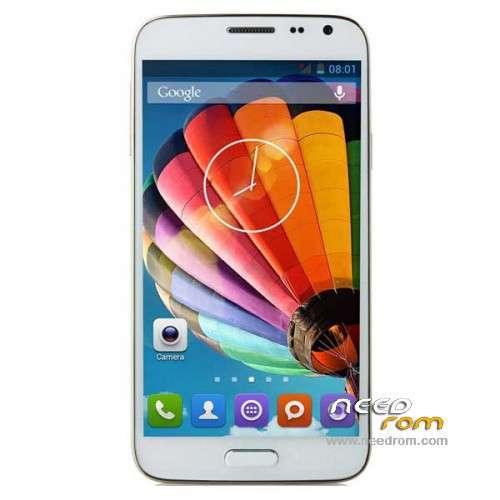
- Title: ORRO N5
- Listed: August, 2014
- Last modified: 03/23/2015 5:48 pm
- Version: ROM Android 4.2.2
You must be logged for ROM download.
19690 total views, 1 today
5 Total favorites
 Member Info
DESCRIPTION
ROM Phone ORRO N5 - ROM Android 4.2.2
ONLY MT6572
Update Official ROM ORRO N5 version: S46B.ORRO.A2.150127.JB3.V1.WVGA.EN.2P16.B1B5 – V1_WCDMA
—————————————————————————————————————————————————-
Update Official ROM ORRO N5 version: S46B.ORRO.A2.140806.JB3.V1.WVGA.EN.2P16.B1B5 – V1_WCDMA
—————————————————————————————————————————————————-
Official ROM ORRO N5 version: S46B.ORRO.A2.140802.JB3.V1.WVGA.EN.2P16.B1B5 – V1_WCDMA
Gapps include – No Rooted
Language support: Multilang
Install ROM:
- Unpack FlashTools, and Click on Flash_tool.exe
- Select a the MT6572_Android_scatter.txt in ROM
- Wait file to be added into Flash Tool
- choose Option->USB Model,click USB Model
–> Choose Option->DA DownLoad All->Speed->High Speed, click High Speed
- Turn off your phone, remove the battery.
- "Press F9 (hit Download button)" OR " if upgrade ROM Firmware->Upgrade "
- and connect your phone into the computer via USB data cable.
- The process will start and a red progress bar will appear after color purple, yellow.
- And green circles display
- Finish !
- You can now safely disconnect your phone and turn it on.
※Please make a backup of your device before installing or updating ROM
Hi! My Orro N5 is different (not like on picture, but black and front two sensors a lefter by speaker) and have firmware 1365F.S46B.ORRO.A2.140605.JB2.V1.WVGA.EN.2P16.B1B5 Your firmvare are compatible with my model? And i need Russian language support.
Hello, I need rom for N5I could help me?
Thanks.
Somebody is moderating this topic? I have trouble with loading the scatter file – flasher displays an error message: "Error: Initializing scatter file failed. Please check the name of scatter file wich you load is legal." WIDW?
hola yo acople mi memoria externa a mi memoria interna y cuando lo reinicie el celular me prende pero no me responde! que debo hacer??
comprate otro xD
Hi all! To fix error with Scatter.txt follow this manual:
Install ROM:
- Unpack FlashTools, and Click on Flash_tool.exe
- Select all files *.* and the MT6572_Android_scatter_0.dat in ROM //fixed and tested by Stealch
- Wait file to be added into Flash Tool
- choose Option->USB Model,click USB Model
–> Choose Option->DA DownLoad All->Speed->High Speed, click High Speed
- Turn off your phone, remove the battery.
- "Press F9 (hit Download button)" OR " if upgrade ROM Firmware->Upgrade "
- and connect your phone into the computer via USB data cable.
- The process will start and a red progress bar will appear after color purple, yellow.
- And green circles display
- Finish !
- You can now safely disconnect your phone and turn it on.
thanks very good
Sorry, i'm forget about drivers:
Before start Flash_tool.exe you may need to install the MT65xx Preloader drivers. You can obtain it here: https://docs.google.com/file/d.....0VEk/edit?pli=1
For install drivers x64 you may need start DPInst64.exe as Administrator. DPInst.exe is starting as Administrator by default.
Error: Initializing scatter file failed. Please check the name of scatter file wich you load is legal." WIDW?
Use MT6572_Android_scatter_0.[b]dat[/b] by select "all files" (*.*)
NOT USE MT6572_Android_scatter_0.[b]txt[/b]
Sorry, BB-Codes are not working here…
Use MT6572_Android_scatter_0.dat by select "all files" (*.*)
NOT USE MT6572_Android_scatter_0.txt