
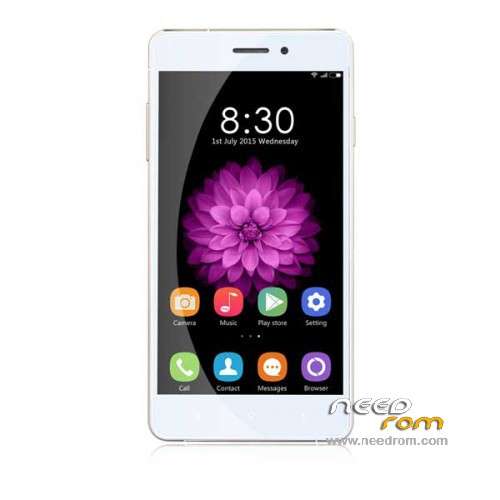
- Title: Oukitel U2
- Listed: October, 2015
- Last modified: 01/10/2016 1:29 am
- Version: ROM Android 5.1
You must be logged for ROM download.
18170 total views, 1 today
6 Total favorites
 Member Info
DESCRIPTION
ROM Phone Oukitel U2 – ROM Android 5.1
ONLY MT6735M
Update Official ROM Oukitel U2 Version: OUKITEL_U2_V6.0_20151228 – t93e-tiansheng-t81-33mgu-qhd-64g8g-fdd-bom26 – full_hct6735m_35gu_l-user 5.1 LMY47D
———————————————————————————————————————————————————————–
Official ROM Oukitel U2 Version: OUKITEL_U2_V4.0_20151008 – t93e-tiansheng-t81-33mgu-qhd-64g8g-fdd-bom26 – full_hct6735m_35gu_l-user 5.1 LMY47D
Gapps include - No Rooted
Language support : Multilang
Install ROM :
Install with SP MDT:
1). Turn off the smartphone. Cable is not connected to the computer.
2). Remove the battery and insert it again
3). Connect your phone to a computer cable. The operating system detects a new device
4). Disconnect the cable from the computer.
5). Run SPMultiPortFlashDownloadProject.exe
6). Choose File> Open File Agent download and specify the file MTK_AllInOneDA.bin (it is in the folder SP_MDT).
7). Click Scatter File and select the MT6735M_Android_scatter.txt file (it's in the folder with the rom).
8). Click "Start all".
9). Connect your phone to a computer cable. The program should see and blink. If the phone is not detected, then unplug it from the computer,
remove and insert the battery (if the battery is removable) and reconnect it to the computer.
10). After (OK) click Stop and disable any phone.
11). Completed.
※Please make a backup of your device before installing or updating ROM
прошивальшик не работает ругается на com порт что он не найден хотя в flastool все определяется и прошивается и на ini фаил ошибка
вот что пишет . как победитЬ?
i have the same problem… and im stuck!
hello friend, anyone have tutorial rooting this phone? thank you.
Donwload kingroot apk instal and start kingroot app phone i, rooted
Прошивальщик нужен SPFT 5.1516.00 и прошивку Update V6.0.
Download and copy into the phone SuperSu zip update (i have used version 2.46, but you can use wathever version you like(latest is 2.65))
Download TWRP recovery from here http://www.chinamobiles.org/th.....und-root.47781/
Shutdown the phone and flash only the TWRP recovery image using sp flash tool.
Boot into recovery (Vol Up + Power button) *before restarting the phone* (otherwise you need to reflash the recovery again, at least this is what happen to me)
In recovery mode Install SuperSu.zip you previously copied into the phone (remember the location)
Done.
инструкция не парвильная по моему…с батареей прелоад этот не определяется…а без батареи определяется но мигает постоянно
Hi,
you have find in the original stock rom a trovan in app "BeautyMakeup"?! I don't know if the app are present in stock rom or if i have get the trojan on internet…
Its build in the system
thaaaaaaaaaaaaaaaanx
Все получилось. Использовал следующий алгоритм:
Выключил телефон
Вынул и вставил батарею
Подключил к ноуту через usb
Дождался пока в диспетчере определится как МТP, но до того как Windows установит драйвер- отключил от компа(если дожидаться установки драйвера-выдает ошибку : Не удалось установить драйвер для вашего устройства.
Закачал прошивку в корень диска С
Запустил SP FlashTool v-5.1524
Указал путь к scatter файлу , выбрал Firmware Upgrade, проставил везде галочки и нажал Download
Подключил смартфон к ноуту
Ждем и через 2 минуты загорается желтая полоска и процесс прошивки пошел