
- Title: Recovery TWRP 2.7.1.0 KK for THL 5000
- Listed: July, 2014
- Last modified: 07/30/2014 5:11 pm
- Version: TWRP 2.7.1.0 KitKat
You must be logged for ROM download.
46897 total views, 1 today
8 Total favorites

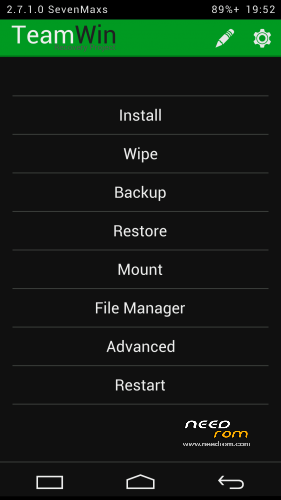
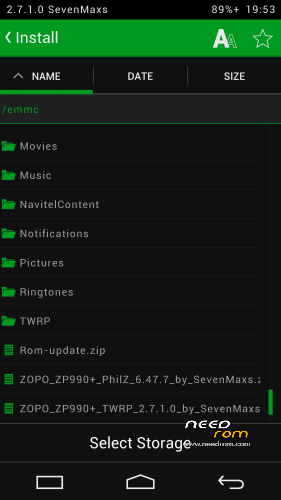
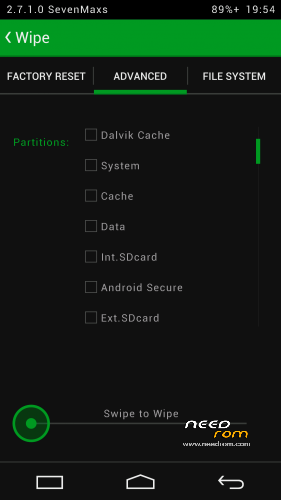
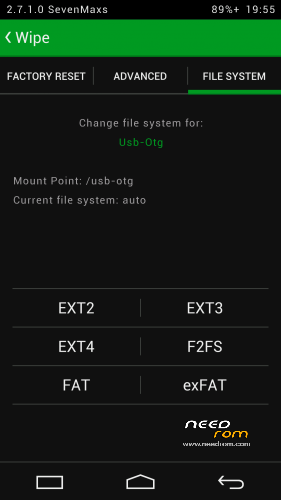
 Member Info
DESCRIPTION
Для установки KitKat прошивок!
Данные рекавери компилировал сам из исходников.
Установка через мод. Recovery, а у кого стоковое Recovery желательно прошиться через FlashTool.
Для прошивки через FlashTool необходимо вытащить из архива recovery.img и положить рядом со скаттер-файлом.
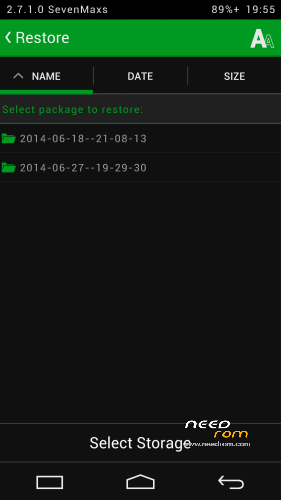
В данном Recovery мне удалось дополнительно реализовать:
- полноценную поддержку SELinux
- монтирование обеих флешек - внутренней Emmc и съемной SDcard к ПК;- работу USB-мышек;
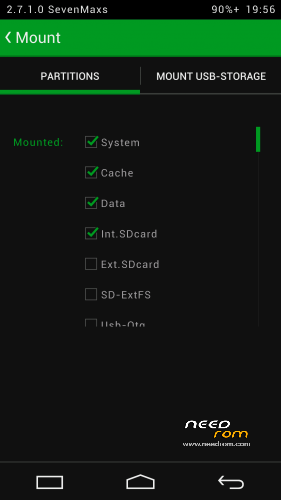
- работу USB-флешек с файловыми системами Fat32 или exFat (для этого подключаем флешку к телефону по Otg-кабелю и во вкладке Mount ставим галочку на против пункта Usb-Otg;
- возможность выбора FS для форматируемого раздела..
- поддержку ОТА;
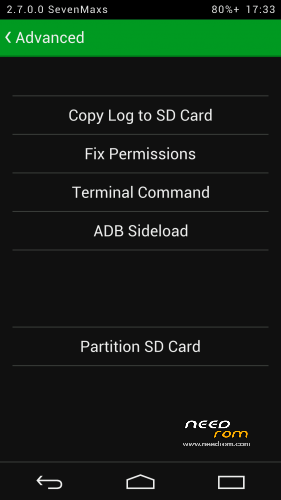
- полный функционал adb;
- работу заряда батареи;
- применена тема Holofied от пользователя z31s1g.
Благодарю товарища doperst за перевод на английский!
ThL_5000(16P128)_TWRP_2.7.1.0_KK_by_SevenMaxs.zip MD5: F92975C0357BC225A2018680CDF83473
ThL_5000(16P256)_TWRP_2.7.1.0_KK_by_SevenMaxs.zip MD5: F691883FC231238E8B976A5296B9610A
※Please make a backup of your device before installing or updating ROM
Hi,
Can I root my phone with this recovery?
Thanks!
Gabor
And why not?
what`s up..?
In which way is possible to root this phone? I have try vroot amd root genius but they dont work
Try to make a factory rest an after them try vroot 1.7.8 in chinese, not the english Version!
I had the same problem like you and the factory reset helped me.
Works great. Thanks!
Whats the difference 16P128 and 16P256 ?
Whats the difference betheew 16P128 and 16P256 ?
16P128_MT6592T
16P256_MT6592W
But What os the best? Por What is most sellest por popular?
What have i buy?
gerdshi very very thanks following your suggestion and making the factory reset then using Vroot I have done a successful root
Thank you very much
I have another question now: if I extract the .IMG file from this recovery and I update it from mobile uncle tool to replace my stock recovery that's could work or to replace the stock recovery I'm oblige to use flash tool?
Thanks to everyone for the reply
Hi, can you write here link to version VROOT 1.7.8. which works? Thanks.
is any chance to translate the russian instractions?
thank you.
Google Translator
To install the firmware KitKat!
Data compiled rekaveri itself from source.
Installation via mod. Recovery, and who it is desirable to stock Recovery to flash via FlashTool.
For firmware via FlashTool need to pull from the archive recovery.img and put next to the scatter file.
This Recovery I managed to further implement:
- Full support for SELinux
- Mount the two flash drives – internal and removable Emmc SDcard to PC;
- USB-flash drives work with the file system Fat32 or exFat (for this to connect a USB flash drive to the phone by cable Otg-tab and put a check on the Mount against paragraph Usb-Otg; – work USB-mice;
- Choice of FS for formatted partition ..
- Support of the PTA;
- Full functional adb;
- The work of the battery;
- Used theme Holofied user z31s1g.
Thank you comrade doperst for translation into English!
Hi, can you write here link to version VROOT 1.7.8. which works? Thanks.