
- Title: Rublix v7
- Listed: January, 2016
- Last modified: 01/02/2016 3:15 pm
- Version: 5,0
You must be logged for ROM download.
18332 total views, 3 today
4 Total favorites
 Member Info
DESCRIPTION
I represent to your attention the firmware Rublix v7
two versions firmware of the: for recavery & FlashTool
If you have installed the firmware Aerom I advise you to install Rublix v7 using FlashTool
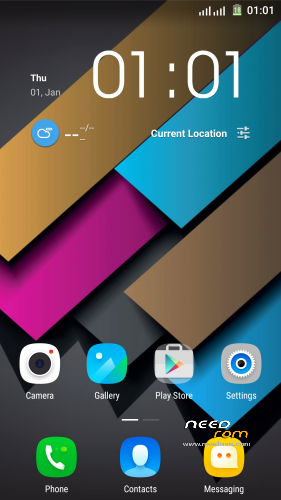
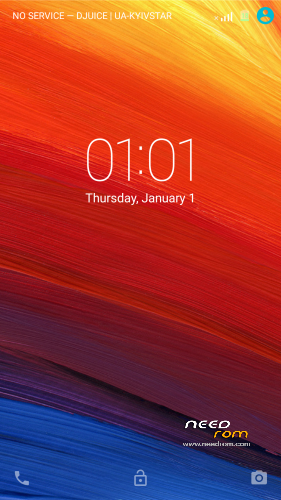
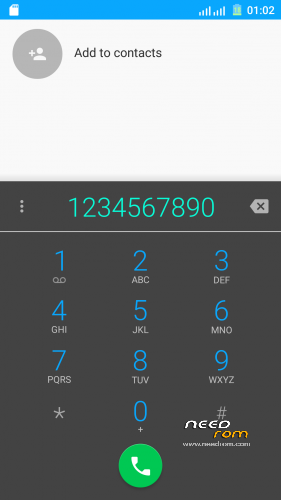
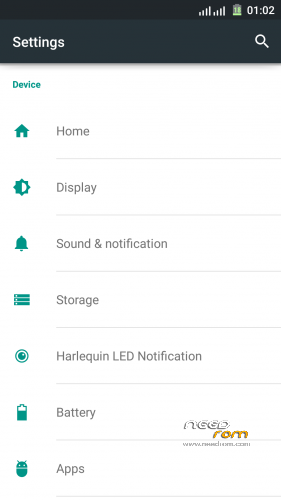
edited graphics:
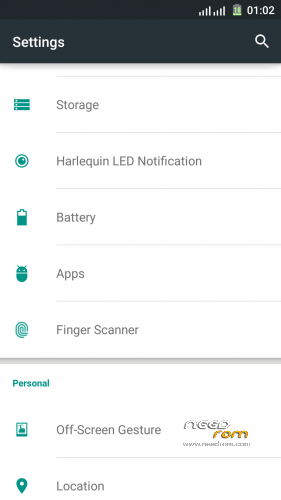
1) transparent curtain, notifications
2) redesigned big letters about antennas
3) repainted Dialer
4) increased contacts pictures, NAME in two lines
5) transformed dark theme (for applications)
6) wallpapers (separated only by native launcher)
7) battery with %
added:
1) Lenovo launčer
2) camera Vowney (decent quality shooting)
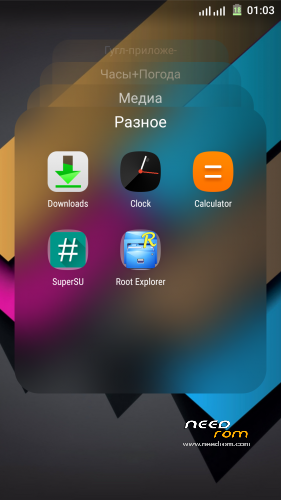
3) SuperSU
4) Root Explorer
5) MaxAudio
6) System ringtones (alarms, notifications, ringtones)
7) MX Player
fixed:
1) the alarm work
2) various warnings ( on high volume.. etc..)
3) a lot of things and I don’t remember….
If you have installed the firmware Aerom I advise you to install Rublix v7 using FlashTool
installation
How to install TWRP or CWM:
1. Copy ROM Rublix v7 to SDcard;
2. Go to TWRP or CWM;
3. Wipe Dalvik, Cache, Data, System;
4. Install ROM;
5. Reboot and enjoy!
How to install FlashTools
- Unpack 20160101_Rublixv7_FlashTool.rar
- Click on Flash_tool.exe
- Select “scatter-Loading” and search MT6752_Android_scatter.txt in ROM
- Wait file to be added into Flash Tool
- Select “Download Only” or if upgrade “Firmware upgrade”
- Turn off your phone, remove the battery (if the battery is removable) and replace it after some seconds (and don’t turn on the phone).
- Press “Download” button to start
- and connect your phone into the computer via USB data cable.
- The process will start and a red progress bar will appear after color purple, yellow.
- And green circles display
- Finish !
- You can now safely disconnect your phone and turn it on.
I hope positively appreciate my work
Added patch fix some Windows applications & fix Lenovo weather widget ” FIX window_apk + FIX weather Lenovo widget ”
set by using TWRP or CWM
※Please make a backup of your device before installing or updating ROM
I wiil try…. Thanks Rublix
After installing stop with sturtup logo (CWM)
(CWM)
what firmware do you have stood up to this?
If aèrom , You must use the FlashTool
Download version for FlashTool,
who was installed AEROM could not install Rublix v7 using the recovery
http://4pda.ru/forum/index.php.....#038;p=45799686
Ok… i will try with flashtool, and i'll be back!
everything is fine sorry my mistake
the max resolution of the cam is 4mp….
I you sincerely sorry, blame can be “curves hands”
I have everything OK https://yadi.sk/d/aT_FHPH7me9b.....9
Hello Rublix,
Thank you for your work. Can you confirm if the encryption works?
Thank you again.
Hello Rublix,
Thank you for your work!
Everything works well!
Unfortunatly I have the same issue about max resolution being 4 mp.
try to make factory reset, or you can install the firmware using FlashTool
Unfortunately encryption doesn’t work
I did a factory reset and installed using Flash Tool but camera is still 4 mp !
try to install the official firmware and see whether camera resolution
The camera is 13mp if you change it from full size to 4:3 size
Спасибо Rublix !
Как то плохо сеть ловит, постоянно либо 1 либо 2 палочки показывает, есть проблемы похожие ? И как то можно решить ?
у меня все в порядке , попробуй сменить модем http://4pda.ru/forum/index.php.....#038;p=42088577
Я не уточнил, сети в плане не wifi , а именно телефонную сеть )
я все правильно понял , у меня нет проблем ни с wi-fi ни с мобильной сетью, с имеями все в порядке? ккак на других прошивках? может проблема не софтовая а железная
На других проблем нет, ни с тем ни стем, с телефоном вообще проблем нет , кроме батареи конечно После последней прошивки не видет флеш тул телефон, думал через него прошить , а не получилось, пришлось шить через рекавери, все нормально прошло, но вот именно антенки телефонной сети, то 2, то 1, бывает они пропадают, но сама сеть не пропадает… может просто визуально косяк какой..