
- Title: STAR P6 MT6582
- Listed: January, 2014
- Last modified: 03/01/2014 2:39 am
- Version: ROM Android 4.2.2
You must be logged for ROM download.
21896 total views, 1 today
 Member Info
DESCRIPTION
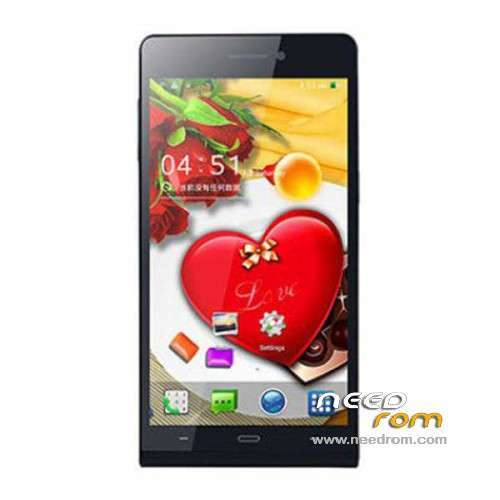
ROM Mobile STAR P6 – ROM Android 4.2.2
ONLY MT6582
————————————————————————————————————————————————
Update Official ROM STAR P6 Version: 20140106_e2100_v89_gq3012hd ( Just Rooted )
————————————————————————————————————————————————
add same version but Rooted
Official ROM STAR P6 Version: 20131211_e2100_v89_gq3012hd
Gapps include – No Rooted
Language support : Multilang
Install ROM :
- Unpack FlashTools, and Click on Flash_tool.exe
- Select a the MT6582_Android_scatter_emmc.txt in ROM
- Wait file to be added into Flash Tool
- choose Option->USB Model,click USB Model
–> Choose Option->DA DownLoad All->Speed->High Speed, click High Speed
- Turn off your phone, remove the battery.
- "Press F9 (hit Download button)" OR " if upgrade ROM Firmware->Upgrade "
- and connect your phone into the computer via USB data cable.
- The process will start and a red progress bar will appear after color purple, yellow.
- And green circles display
- Finish !
- You can now safely disconnect your phone and turn it on.
※Please make a backup of your device before installing or updating ROM
First sorry for my english. Well, i downloaded rooted version (my phone's rooted). I'm going to explain my steps:
-Flashtoll unpacked and clicked.
-Selected .txt file and added into flash tool.
-By default USB and autodetect clicked.
-Can't choose DA options, it's by default down of flash tool window
-Turned off my phone and remove the battery
-Then clicked on Download button and connected my phone by usb cable.
-Process didn't start.
What am I doing wrong?
Thank you.
Must I click on DA DL All in Checksum?
Well, I've done it with rom manager. Thank you.
Gesture sensing doesn't work with launchers, I used Go launcher and now Apex launcher. Anyone else?
THANK YOU VERY MUCH!
sorry for my english!
author could not write a little how to sew ROM) will be very grateful !
Hi !!!
Install STAR P6 MT6582 – Update 01/06/2014, but generates an error when checking "Image UBOOT checksum failed!" Please correct …
Same for me
But you can upload the same without uboot (even better, in this way you preserve for sure your lcd driver)
Hello, I received P6 2 days ago, I used before Inew V3 for few weeks with "same" hardware, but I find it faster and more fluent. Today I wanted try create swap on SD (250MB) but I find phone has already 512MB SWAP and I have many skills with faking hadrware, especialy RAM and CPU. Can anyone tell me if my idea this phone has only 512MB RAM true? All apps I used before for checking didn't find problem, but want be sure about it or should I open dispute on Ali. Thanks for reply!
Hi I flashed my P6 (I have the P6 not the P6+) with the new firmware http://www.ule-fone.com/downlo.....efone-6-0-inch/ but even though it starts the display is black. I can feel it working by vibration and sound when i touch the screen, but the screen is black…
Any ideas what the problem might be?
sorry for my english!
not correct drivers for display
Good day, I want to know, in our STAR p-6 is flashing miui, and stock, and whether there are other versions of him who can make the port