
- Title: STAR S7589
- Listed: May, 2013
- Last modified: 05/09/2013 1:42 am
- Version: ROM Android 4.2.1
You must be logged for ROM download.
21883 total views, 1 today
 Member Info
DESCRIPTION
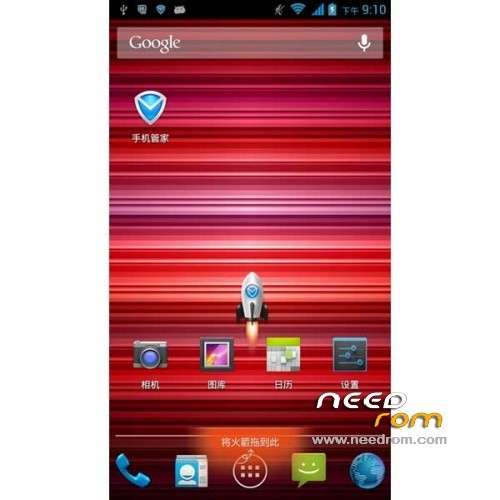
ROM STAR S7589 – ROM Android 4.2.1
Model name: Star S7589 4G/8G based on version Official : v89_jbl1a698_20130422_LF
Features ROM:
1, integrated the latest version of the root can be arbitrarily close
2, to streamline some useless applications
3, to maintain the original style, do the template to use
4, modify all the background
Language support: Multilang
Install ROM :
CWM ( Tuto in PDF i have not translate )
Step 1: Download the custom card brush ROM copied to an external SD card root directory
Step 2: the shutdown state. While holding down:
Power button + volume button + volume key to enter the recovery mode of Brush, Clear user data and cache, and then enter the card brush
Options Brush can.
Step 3: Brush complete, restart the phone
※Please make a backup of your device before installing or updating ROM
thanks for share this rom
Thank You!
Do You have any changelog?
Respect!
not find the changelog
Downloaded, flashed, works. Thanks a lot.
Hi
Can u post the S7589 Official ROM : v89_jbl1a698_20130422_LF ?
TQ
Yes, please upload S7589 Official ROM : v89_jbl1a698_20130422_LF or latest?
Thanks/regards
Hi all,
This rom is probably the best I've tried. Surely the first one that allow to update system apps like gmail or google search.
Anyway, I have trouble with the sd card. When I reboot the device, sometimes, some apps disappear. The icon is still there and, when I press the app to run it, I have a message saying that the app is not installed. Then, the icon desappears from the drawer.
Am I the only one experiencing this trouble?
For me i used the latest official rom posted here and no problem to make google apps update system on internal stockage. For the sd card, i will receveid my 32 gb class 10 next week i'll make report to you when i will have used it to install apps
For Mr Volcano About the Problem of Gapps Update. I find the solution because since a insert my sd card i was in same situation of you that gmail doesn't want to make update with a error message. You just need to go in Settings/Storage/Preferred installation location set it to let the system decide.
And now Gapps Update Go one with no problems !
GPS not work !
GPS is working now. Please ignore my previous message.
Merci Footix64 pour ton commentaire.
All updates on sys apps work fine.
My problem is about the installed apps.