
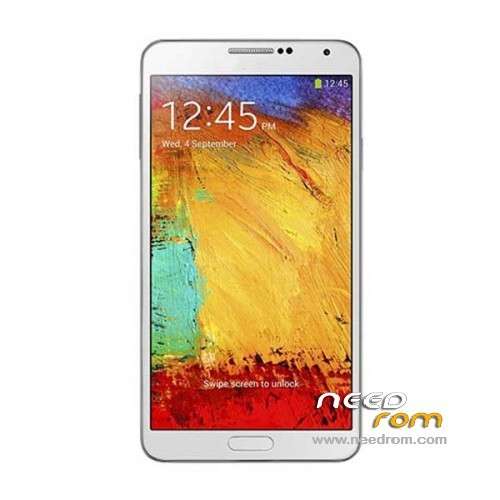
- Title: NO.1 N3
- Listed: November, 2013
- Last modified: 02/17/2014 7:49 pm
- Version: ROM Android 4.3.0
You must be logged for ROM download.
58289 total views, 1 today
152 Total favorites
 Member Info
DESCRIPTION
ROM Phone NO.1 N3 – ROM Android 4.3.0
Update Official ROM NO.1 N3 Version: N3_V1.0_V01_2013-12-31_12:16:24
——————————————————————————————————————————————
add same version but For flashtools
Official ROM NO.1 N3 Version: N3_A_V1.0_V01_2013-11-15
Gapps include – No Rooted
Language support: Multilang
Install ROM:
CWM ( CN )
Step 1: Download the custom ROM copied to an external SD card root directory
Step 2: the shutdown state. While holding down:
– Power button + volume button up, to enter the recovery mode.
– Wipe Data / Factory Reset -> delete all user data
– Wipe Cache Partition -> Wipe cache
Step 3: Return to recovery main interface Install zip from sdcard -> choose zip from sdcard -> Select your ROM
Step 4: Brush complete, restart the phone Patience required – first boot takes a while
OR
- Unpack FlashTools, and Click on Flash_tool.exe
- Select a the MT6589_Android_scatter_emmc.txt in ROM
- Wait file to be added into Flash Tool
- choose Option->USB Model,click USB Model
–> Choose Option->DA DownLoad All->Speed->High Speed, click High Speed
- Turn off your phone, remove the battery.
- "Press F9 (hit Download button)" OR " if upgrade ROM Firmware->Upgrade "
- and connect your phone into the computer via USB data cable.
- The process will start and a red progress bar will appear after color purple, yellow.
- And green circles display
- Finish !
- You can now safely disconnect your phone and turn it on.
※Please make a backup of your device before installing or updating ROM
Thanks for this ROM sir SoCr@Te
Hello, como se rotea este terminal.
Since rotea this terminal, graces.
Install Framaroot.apk, open the app and click on boromir
Is possible intall this rom on s6
Hallo I need the Stockrom for Flash tool Ihave install wrong CWM and now are my IMEI s done
can you help me please
anche io stessa condizione.
PLEASE recovery is in Chinese, I have not installed but I get in Chinese.
Some recovery in English?
i have the same prob…..
One could carry the rom to HDC n9006 no1. n3 to have applications samsung s pen and the function as in HDC n9006 with s note.
Is the original S-View Cover working with this Firmware?
Please…post a build.prop of this rom and complete name of baseband…thank!
good phone… I buy it last week and it have big big problem with the gps… I try evry guide on xda and nothing work! I can’t get any good signal mayby 4 or 5 low bar on gps test and on mobileuncle… But on navigation app waze it dosent work and show me the car 200 meter away and not show realy where my position is. Please i ask from hwo can help.
Hi,
Did you solve the GPS issue?
I did for mine… (root it first with: http://www.hdcgalaxy.com/2013/.....oid-mt6589.html)
Then You only need to add a line to the build.prop file located in system directory.
The line alters the behavior of the JIT compiler, surpassing the bug, and now reports accurate data in distance and speed.
The line you have to add is this:
dalvik.vm.execution-mode=int:fast
I added it at the end of my build.prop after another line starting with dalvik. too, using Root explorer, no need to change file permissions with this software, but you need to be able to write system. This is how the end of my build.prop is now:
dalvik.vm.stack-trace-file=/data/anr/traces.txt
dalvik.vm.execution-mode=int:fast