
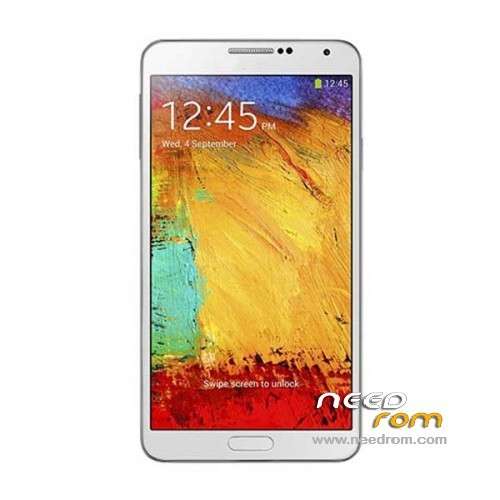
- Title: NO.1 N3
- Listed: November, 2013
- Last modified: 02/17/2014 7:49 pm
- Version: ROM Android 4.3.0
You must be logged for ROM download.
58800 total views, 8 today
152 Total favorites
 Member Info
DESCRIPTION
ROM Phone NO.1 N3 – ROM Android 4.3.0
Update Official ROM NO.1 N3 Version: N3_V1.0_V01_2013-12-31_12:16:24
——————————————————————————————————————————————
add same version but For flashtools
Official ROM NO.1 N3 Version: N3_A_V1.0_V01_2013-11-15
Gapps include – No Rooted
Language support: Multilang
Install ROM:
CWM ( CN )
Step 1: Download the custom ROM copied to an external SD card root directory
Step 2: the shutdown state. While holding down:
– Power button + volume button up, to enter the recovery mode.
– Wipe Data / Factory Reset -> delete all user data
– Wipe Cache Partition -> Wipe cache
Step 3: Return to recovery main interface Install zip from sdcard -> choose zip from sdcard -> Select your ROM
Step 4: Brush complete, restart the phone Patience required – first boot takes a while
OR
- Unpack FlashTools, and Click on Flash_tool.exe
- Select a the MT6589_Android_scatter_emmc.txt in ROM
- Wait file to be added into Flash Tool
- choose Option->USB Model,click USB Model
–> Choose Option->DA DownLoad All->Speed->High Speed, click High Speed
- Turn off your phone, remove the battery.
- "Press F9 (hit Download button)" OR " if upgrade ROM Firmware->Upgrade "
- and connect your phone into the computer via USB data cable.
- The process will start and a red progress bar will appear after color purple, yellow.
- And green circles display
- Finish !
- You can now safely disconnect your phone and turn it on.
※Please make a backup of your device before installing or updating ROM
Hi, please help
i want rom install and than update, but wipe data ok, wipe cache ok, than: install zip from sdcard…external card…no.1 N3 ROM.zip ….installation aborted…why?
thanks
Because Recovery is corrupted… you cannot recover from SD card, not seen… only internal memory, that's why.
You need to restore other ROM before (No.1-N3_03-12-2013) from same site. Then, you will see that Recovery is different (CWN)… from there, you will be able to restore the current ROM and any other one actually.
I installed the new Recovery (it is only in Chinese!) But the problem is the same: installation aborted!!!
with
No.1-N3_03-12-2013 also
Hi entropy, actually, I didn't mean to install the "recovery"… but the image only… this changed my recovery (not in chinese, but blue letters) and I could make it… thanks to that…
Use SP Flash Tool v3.1332.0.187 and don't forget to wipe cache and data before doing it.
Hello

I have a GT-N9002 MTK6589T 2GB RAM 16GB ROM
It`s frozen in the samsung logo
The phone enter into the stock recovery android and the chinese factory mode
I trust flash with the SP Flash tool but a error S_FT_ENABLE_DRAM_FAIL (4032) has made me crazy.
Please HELP ME
The drivers is correctly installed and the phone is correctly recogniced. Many roms has prooved.
I suggest you to restore official ROM using Flash tools, but be aware to remove battery when you do it… it matters…
and where I find the official rom?
Well… actually, this one is the official one. But when you restore it, remove battery. I had to it today, because I was using custom rom (with S*****G logo) and I got stuck at boot… I tried other roms… no way.
I ended flashing back with that one, official, remove battery, connect cable, start flash tools, choose the emmc txt file from ROM, click download, then press up volume button of phone + power button…
You will see progress bar on Flash tools, red first and then blue… only release buttons when you see it yellow and starting to flash. This works 100% of the time
the top cell phone turn on and would freeze at logo.
try to flash the download button but my pc recognizes the driver when I place the battery. I also went the error 4032.
Try to flash the Firmware update button and put the battery and did so without problems. But the cell phone will not start. was black.
Now try flashing without battery with power button + vol up but keeps coming up error 4032.
Now I can not even enter recovery. This completely black.
you speak spanish?
Si tambien hablo español
Buenisimo, mira el problema es que el equipo se congelaba en el logo de S****G y no arrancaba. Pero podia entrar al stock recovery (que no sirve para nada) y al factory mode chino (que tampoco sirve para nada). Intente flashear varias rooms pero siempre me salia ese error fastidioso. Ademas tampoco encuentro una Rom que vaya con las caracteristicas de mi equipo. "EN TEORIA" es un MTK6589T con 2GB de RAM 16GB de ROM y una pantalla IPS 1080P. Lo compre como N9002 pero ya no se que creer.
Hoy a la mañana me baje esta room y lo intente hacer de nuevo. Cargue el scatter, boton download, conecte el cable y aprete vol+, resultado= error 4032.
2do intento: cargo el scatter, boton firmware update (como lo recomienda este post), conecto el cable y esta vez le pongo la bateria y vualá . . . empezo a realizar el proceso. Espero que termine y me ponga el circulito verde. Cuando termina desconecto el cable, boton power y nada. Telefono muerto totalmente. Lo curioso es que cuando lo enchufo y le pongo la bateria o apreto vol+ el SP Flash tool lo reconoce, como para siguir intentando. Pero ahora de cualquier forma que lo intento sigue saliendo el fastidioso error ERROR "S_FT_ENABLE_DRAM_FAIL (4032)".
Escribi mails al vendedor de Aliexpress y a la gente de NO.1 pero todavia no tuve respuesta. Y ya estoy a punto de entrar en pánico.
ok, one more thing… actually I experienced error 4032 before, and apparently, provided version of tools was not 100% compatible with MTK6589T phones… and I had to download SP Flash Tool v3.1332.0.187 (http://chinagadgetsreviews.blo.....v313320187.html)
be sure that ADB drivers are correctly installed.
Buenisimo, mira el problema es que el equipo se congelaba en el logo de S****G y no arrancaba. Pero podia entrar al stock recovery (que no sirve para nada) y al factory mode chino (que tampoco sirve para nada). Intente flashear varias rooms pero siempre me salia ese error fastidioso. Ademas tampoco encuentro una Rom que vaya con las caracteristicas de mi equipo. "EN TEORIA" es un MTK6589T con 2GB de RAM 16GB de ROM y una pantalla IPS 1080P. Lo compre como N9002 pero ya no se que creer.
Hoy a la mañana me baje esta room y lo intente hacer de nuevo. Cargue el scatter, boton download, conecte el cable y aprete vol+, resultado= error 4032.
2do intento: cargo el scatter, boton firmware update (como lo recomienda este post), conecto el cable y esta vez le pongo la bateria y vualá . . . empezo a realizar el proceso. Espero que termine y me ponga el circulito verde. Cuando termina desconecto el cable, boton power y nada. Telefono muerto totalmente. Lo curioso es que cuando lo enchufo y le pongo la bateria o apreto vol+ el SP Flash tool lo reconoce, como para siguir intentando. Pero ahora de cualquier forma que lo intento sigue saliendo el fastidioso error ERROR "S_FT_ENABLE_DRAM_FAIL (4032)".
Escribi mails al vendedor de Aliexpress y a la gente de NO.1 pero todavia no tuve respuesta. Y ya estoy a punto de entrar en pánico.
Acabo de bajar la version que me recomendaste y tampoco funciona!
Paso 1: Boton Download, Power+VolUp – Error 4032
Paso 2: Boton Download, Coloco Bateria – Error 4032
Paso 3: Boton Firmware Update, Power+VolUp – Error 4032
Paso 4: Boton Firmware Update, Coloco Bateria – Error 4032
Como hago para instalar los drivers ADB si el telefono no enciende como para que yo lo ponga en modo depuracion?
No se si lo comprndo bien, pero solo hay 2 botones que apretar… el volumen UP y power… nada mas… ni menos…