
- Title: VIBEUI V1.5 1420 Mutilang
- Listed: May, 2014
- Last modified: 05/18/2014 4:31 pm
- Version: 4.4.2 Mutilang
You must be logged for ROM download.
31325 total views, 2 today
14 Total favorites
 Member Info
DESCRIPTION
Info:
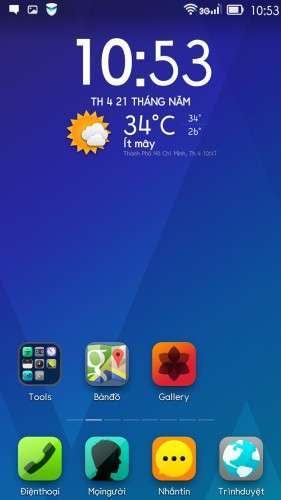
Kitkat 4.4.2 official
Remove China app
Google App
Add Mutillanguage 90% your language
Rom up by Clockworkmod recovery,base China
You can install rom Vibe 1405 before install this rom:
https://www.needrom.com/mobile/s920-viberom-v1-0-1405-dev-mutilanguagedevteam-vn/
Language:Muti
CWM
Step 1: Download the custom card ROM copied to an external SD card root directory
Step 2: the shutdown state. While holding down:
Power button + volume+ button + volume – key to enter the recovery mode, wipe data/ factory reset and
wipe cache partition
Step 3: Enter menu apply update from sdcard select the ROM
Step 4: Brush complete, restart the phone
Please write"Thank for share,good luck" when you download rom
Thank everybody
※Please make a backup of your device before installing or updating ROM
this rom is rooted?
Thx for your job, thx a lot. Many people can use this rom multilenguage
No root,sir
Fix base? Fix lỗi +84 chưa bác thiên hỏa
Fix base:yes
 )
)
Fix +84:no
This is great news !
thank for thienhoa.. good luck for u. well done.
best rom
thank you very much
i cant sync my google calendar with lenovo calendar, i need create a lenovo account??, help please!!
You need to install google calendar, so there will be two calendar, google calendar and leenovo calendar, I solve same problem with with this solution.
Thx, i install google calendar and lenovo calendar sync with my account. Then i unistall google calendar and lenovo calendar work and sync with google account perfectly….
Thanks heri500
This rom is not fail +84??
I fixed +84
But I can’t fix it
Mantap bro….