
- Title: VIBEUI V1.5 1420 Mutilang
- Listed: May, 2014
- Last modified: 05/18/2014 4:31 pm
- Version: 4.4.2 Mutilang
You must be logged for ROM download.
32921 total views, 3 today
14 Total favorites
 Member Info
DESCRIPTION
Info:
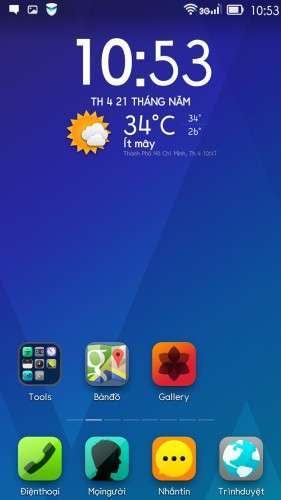
Kitkat 4.4.2 official
Remove China app
Google App
Add Mutillanguage 90% your language
Rom up by Clockworkmod recovery,base China
You can install rom Vibe 1405 before install this rom:
https://www.needrom.com/mobile/s920-viberom-v1-0-1405-dev-mutilanguagedevteam-vn/
Language:Muti
CWM
Step 1: Download the custom card ROM copied to an external SD card root directory
Step 2: the shutdown state. While holding down:
Power button + volume+ button + volume – key to enter the recovery mode, wipe data/ factory reset and
wipe cache partition
Step 3: Enter menu apply update from sdcard select the ROM
Step 4: Brush complete, restart the phone
Please write"Thank for share,good luck" when you download rom
Thank everybody
※Please make a backup of your device before installing or updating ROM
I have problem with syncing Contact with Google. Anyone have the same problem?
Fix được lỗi +84 và base chưa bác thienhoa?
Fix +84 error sir ??
Thienhoa3 can you update to 1423 multilanguage????
THX A LOT
waiting for 1423 multilang….
me too
waiting for 1423 multilang….
Hello, does this support German language?
yes
Also why cannot i install google+ in this firmware?
I Love Your Jobs . Thank You Thienhoa3
flash tool needed or CWM… or just copy the Downloaded rom to my Sd card then Run ??